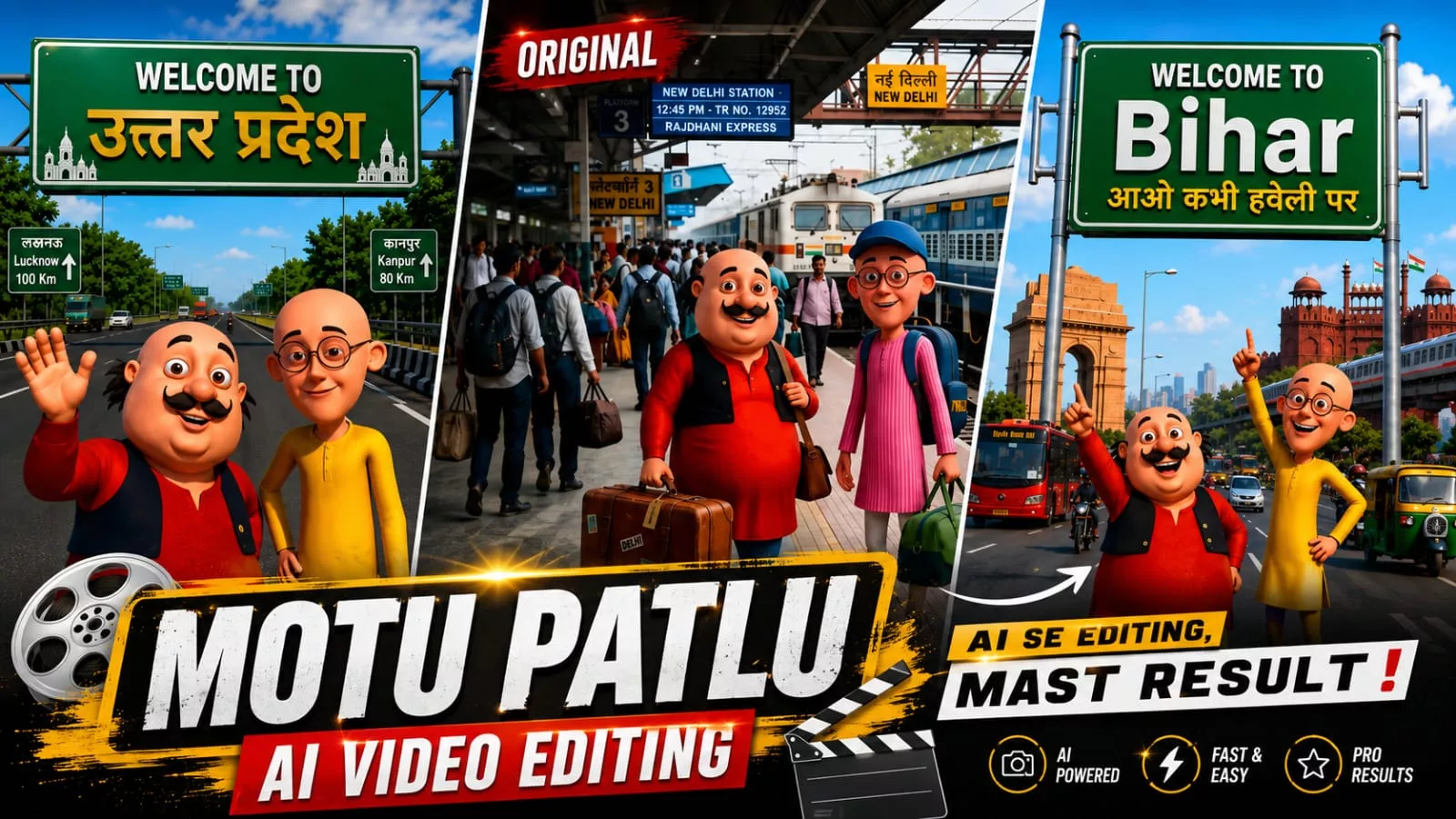
Motu Patlu Ai Video Editing Prompt – Creating “Motu Patlu” style images and videos has become a new trend these days. In this article, I will explain how to create both, so you too can go viral with your content. If you want to learn a new editing style that offers the potential to go viral, you should definitely learn this technique. There is a very high chance of going viral with this, so let me walk you through the steps of creating the images. Afterward, I will explain how to create the videos and add dialogues. You will find all the details right here in this article; if you read it carefully, you will master the process of creating these images and videos.
Details Of Motu Patlu Ai Video Editing Prompt
Now, regarding this ‘Motu Patlu’ style of editing—the Motu Patlu characters are seamlessly integrated into your realistic photos. Audiences today really enjoy this trend because it taps into childhood nostalgia; after all, Motu and Patlu are beloved cartoon characters from their younger days, which is why this style is becoming so popular. People are even turning these images into videos where the characters say their names, mention their locations, or deliver any specific dialogue they choose. I will show you how to easily create this viral edit yourself and achieve excellent results.
The Process Of This Video Editing
Let’s look at how to create this edit. First, we will generate an image using ChatGPT, and then convert it into a video. We will use AI tools for this and walk through the entire process. To understand it in detail, first grasp the image creation process, then the video creation process; I will also explain the benefits of creating content this way.
How To create You Ai Image?
Now, let’s understand the process of creating the image, as this is the most important part. To create the image correctly, you need to know the right method; here, we have provided various specialized prompts. Simply copy the one you like and open ChatGPT, as that is where we will generate the image. First, click the ‘plus’ icon to upload your photo—you will need to provide a reference image. However, there are some edits where a reference photo isn’t required; for instance, if you want an image featuring Motu Patlu characters, you can simply add your name to the scene and generate it. But if you want a photo that actually includes you alongside them, you must upload a reference photo, paste the prompt, and then generate the image. It will then create and prepare the photo for you.
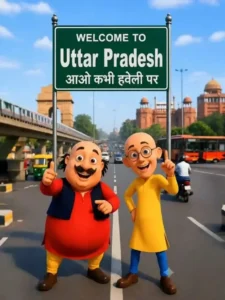
Image Prompt –
Create a high-quality 3D cartoon-style scene inspired by classic Indian animation. Two funny cartoon friends stand in the middle of a wide modern Indian city road, smiling and pointing upward. The left character is a chubby man with a big black moustache, wearing a red kurta, yellow pajama, black waistcoat, and black shoes. The right character is a slim bald man with round glasses, wearing a yellow kurta, blue pants, and brown shoes, raising one finger upward.Behind them is a large green highway signboard supported by two silver poles. The signboard has a white border and bold white text exactly as follows:WELCOME TO Uttar Pradesh आओ कभी हवेली परThe text must be perfectly centered, sharp, correctly spelled, and use realistic Indian highway sign typography.Background: A busy Indian city with India Gate on the left, Red Fort on the right, a metro train on an elevated track, red city buses, auto-rickshaws, motorcycles, cars, streetlights, trees, and a bright blue sky with soft white clouds.Camera angle: Eye-level, wide-angle, centered composition.Lighting: Bright natural daylight with soft realistic shadows.Style: Ultra-detailed Pixar-quality 3D cartoon render, vibrant colors, smooth textures, cinematic lighting, depth of field, Ultra HD, 8K, highly detailed, professional animation quality.Vertical composition (9:16), realistic road markings, clean perspective, sharp focus, vibrant colors.
Video Prompt –
Animate the existing image only. Keep the characters, background, camera angle, and composition unchanged. Natural facial expressions, realistic eye blinking, subtle body movement, accurate lip-sync, and hand gestures.

Motu (speaking in Hindi): "हेलो दोस्तों मैं मोटू हूँ। आज मैं उतरप्रदेश घूमने आया हूँ। यहाँ का माहौल बहुत बढ़िया है। आज मैं उतरप्रदेश का गरमा गरम समोसा खाऊंगा!"

Patlu (speaking in Hindi): "दोस्तों, यह शहर बहुत ही सुंदर है। अगर मौका मिले, तो यहाँ ज़रूर आइए!"

Motu (laughing): "वाह! आज तो बहुत मज़ा आने वाला है!"

Both characters smile, point toward the Bihar sign, laugh naturally, and maintain perfect Hindi lip-sync. Smooth animation, cinematic quality, 24 fps, 8 seconds.
How To Generate Video?
I will explain the process for creating the video. Look, we have already provided you with a video prompt. Now, you simply need to copy it, search for the relevant website on Google, and sign up or log in. Next, go to ‘New Project,’ click the plus (+) icon to upload your photo, and paste the video prompt I mentioned earlier. You can also modify the dialogues—there are various options for Motu and Patlu—so feel free to change them. Finally, hit ‘Generate,’ and it will create a professional-quality image for you, delivering excellent results.
Conclusion
You can easily achieve this viral edit by following a new Instagram trend. I’ve explained all the editing steps. Just follow along, create, and let us know what your results are. We want you to get the best results possible. Editing based on the latest Instagram trends will always yield positive results.