Aesthetic Ai Photo Editing Prompts – Friends, nowadays people on social media are creating and sharing AI-edited photos in various styles, and these images are going incredibly viral. These images—which look both professional and realistic—can be easily generated with the help of AI. Today, I will teach you how to create some of these aesthetic-style photo edits yourself. You have surely come across these aesthetic AI images, and if you wish to create similar ones using your own photos, then in this article, I will show you exactly how to generate these trending visuals. To help you do this, I am providing a selection of specific prompts that will effortlessly generate these images, seamlessly incorporating your own face. Simply read through this article to find the prompts you need.
Details Of Aesthetic Ai Photo Editing Prompts
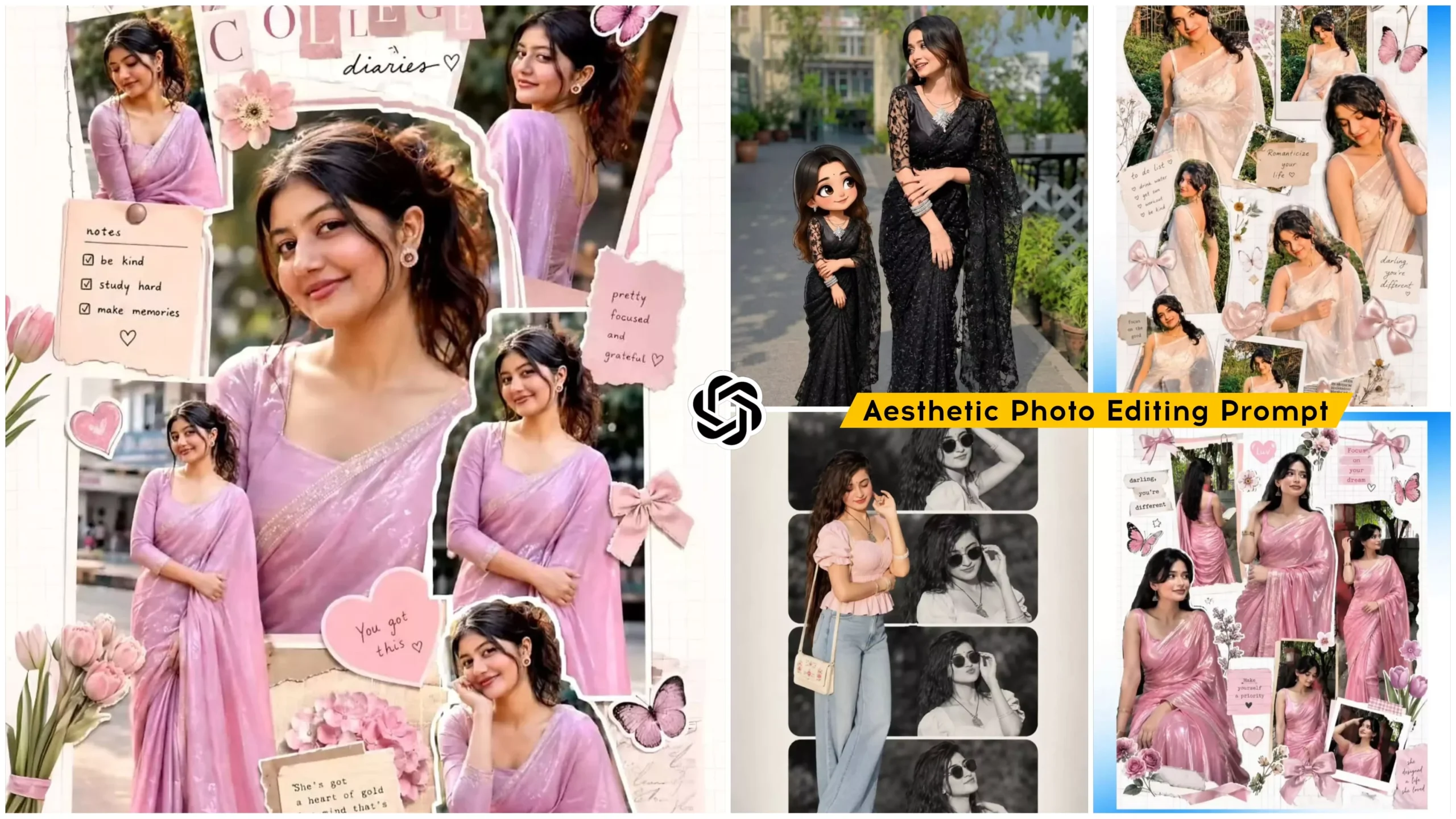
In this AI photo editing showcase, you will observe that the images have been crafted with a distinct aesthetic flair—some featuring a collage-style edit, while others utilize a three-layer composition. Furthermore, across all the photos, the facial expressions are flawless, complemented by natural color tones. Some images feature a unique editing style where a single large image is superimposed in the foreground, while your three-layer photo composition serves as the background. Other images have been edited in a scrapbook-collage style, presenting your photos with a variety of expressions and poses. Additionally, the photos incorporate a notebook-style aesthetic featuring pastel color combinations. Reference images corresponding to each prompt have been provided and can be found within this article.
What You Need To Do This Editing
To create this AI photo, you will need a few things. First, you must select an image of yourself in which your face is clearly visible and you are the only person present in the frame. If you use an image containing multiple faces, your face will not be matched correctly. Additionally, the image you upload should be of high quality. Second, to generate the AI image, you will require an AI tool. For this purpose, you can use either ChatGPT or Gemini; you will achieve similar results with both. I will now walk you through the process of generating an image using a prompt on ChatGPT; please read the next paragraph.
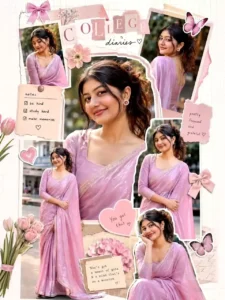
Create a dreamy scrapbook-style college aesthetic collage of a girl wearing a shiny pink saree. Show her in multiple angles and poses (full-body, mid-shot, close-ups).
Maintain a soft, feminine vibe.

Styling & Elements:
Add cute decorative stickers: bows, flowers, hearts, butterflies
Use a white grid background with cut-out photo layering effect
Include soft lighting and smooth, glowing skin texture
Keep the overall look delicate, aesthetic, and Pinterest-style

Composition:
Arrange images like a scrapbook/moodboard
Mix candid and posed shots
Add subtle shadows for depth

Quality:
Ultra high resolution
Cinematic, polished finish
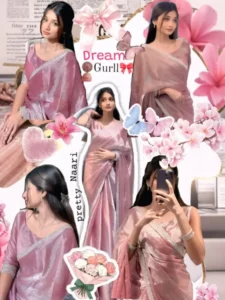
Dreamy scrapbook collage aesthetic of a girl in a shiny pastel pink saree, multiple angles and poses. Added stickers: bows, flowers, hearts, butterflies. White grid background, cut-out effect, cute decorative elements. Soft lighting, smooth skin, feminine aesthetic, Pinterest-style moodboard, ultra high quality.
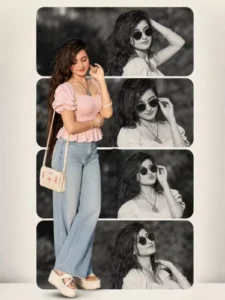
Aesthetic collage prompt (It A vertical collage design. The background consists of four stacked horizontal rounded rectangles. 165
Inside these panels are black-and-white cinematic shots of a young woman (use the uploaded image for 100% facial accuracy), featuring her with dark, slightly messy hair and stylish sunglasses in various expressive poses.
Superimposed in the foreground on the left side is a full-color, high-quality cutout of the same woman. She is wearing a light pink, short-sleeved peasant-style top with a sweetheart neckline and a softly ruffled peplum hem, along with puffed sleeves. She is paired with light-wash, high-waisted, wide-leg denim jeans. On her feet, she wears white platform sandals with a thick textured sole.
She carries a small off-white rectangular shoulder bag with delicate floral or embroidered detailing, slung over her right shoulder.no earrings, no necklace, no bangles, no bindi. Her hair is open loose natural hair.
The composition should follow a clean 9:16 aspect ratio, maintaining a balanced editorial fashion aesthetic with strong contrast between the monochrome.
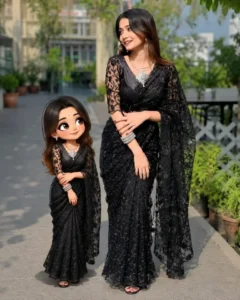
CINEMATIC PORTRAIT ABOVE GIRL AS HER MINIATURE VERSION.
SIDE BY SIDE AGAINST TEXTURED DARK WALL, HANDWRITTEN “MINIATURE MEI” TEXT. BOTH IN MATCHING DRESSES HANDS ARE FOLDING.
WOMEN LEANS WITH SOFT SMILE; CHILD HAS CARTOON-STYLE FACE, LARGE EXPRESSIVE EYES.
ULTRA-REALISTIC SKIN TEXTURE, WARM SOFT LIGHTING, SHALLOW DEPTH OF FIELD, SHARP FOCUS STUDIO QUALITY.
How To Create Aesthetic Ai Photo Editing Prompts
Friends, if you wish to edit your photos—and want to do so with ease—you can utilize ChatGPT. ChatGPT makes the process of editing your photos effortless. To get started, simply copy any of the prompts provided in this article. Next, open ChatGPT, paste the copied prompt into the interface, and then use the plus (+) icon to upload your photo. Finally, hit “Generate” and wait a few moments; ChatGPT will create a realistic image for you that looks incredibly striking. This is how you can perform AI-powered photo editing.
Conclusion
I hope you really enjoyed this photo editing tutorial. As you can see, you can easily create your own trendy photo edits with the help of AI. Friends, I have also walked you through the entire photo editing process. If you wish to create more such trendy photo edits and are looking for AI prompts to help you generate your images, please visit this website; you will find a wide variety of new and trending prompts here.