Shin-Chan Style Ai Photo Editing Prompts – Friends, photos in the “Shin-chan” style have become incredibly popular on social media these days. People are editing their own images to resemble the Shin-chan aesthetic and sharing them online—a process made possible with the help of AI. The results look quite striking! So, if you would also like to create your own Shin-chan-style photos, simply follow along with this article. I will guide you through the process of editing photos in various Shin-chan styles. As you follow the steps in this article, I will provide you with specific AI photo prompts and teach you how to use them to generate these images. Just keep following along!
Details Of Shin-Chan Style Ai Photo Editing Prompts
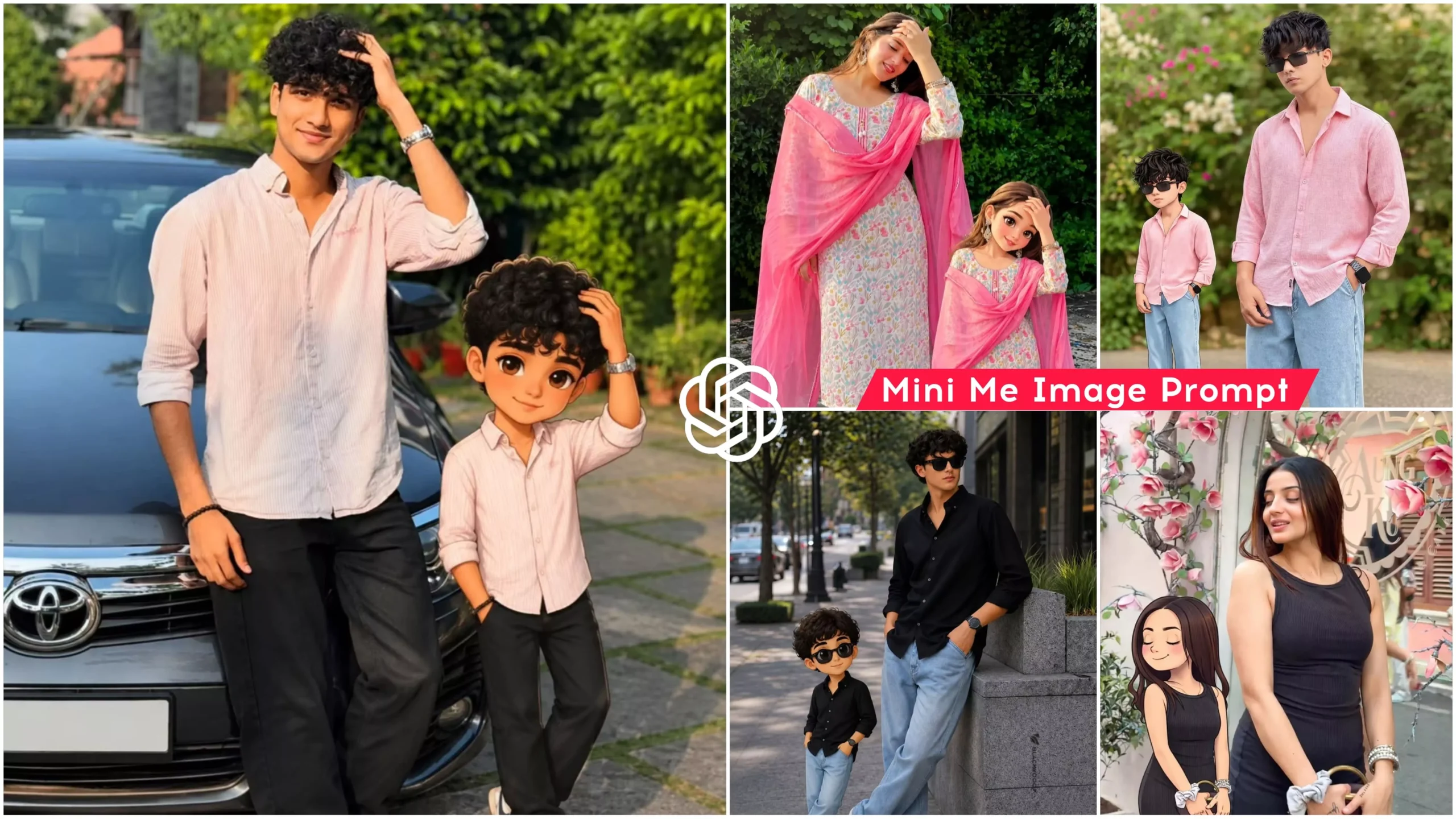
As I mentioned earlier, this involves Shin-chan style photo editing, allowing you to create images in various distinct styles. To use this tool, simply select a high-quality photograph of yourself; it will transform it into an anime-style image resembling Shin-chan, which you can then integrate, adjust, and position within your original photo to enhance it. Friends, I am providing you with a selection of image prompts that you can use to generate these images. The step-by-step process will be explained in the following paragraph.
What You Need To Do This Editing
To perform this AI photo editing, you will need an AI tool. Since we want to generate the images for free, you can use either Google Gemini or ChatGPT; with the help of these two tools, we can generate images with absolute ease and at no cost. I will guide you through the process of creating this Shin-chan-style photo edit using ChatGPT. Below, I have provided several images along with their corresponding prompts. Simply select the image you like and copy its prompt. We will then use that prompt to generate the AI image; the detailed process for doing so is explained in the next paragraph. So, go ahead and copy your chosen prompt, and then read the section titled “How to Use the Prompt.”
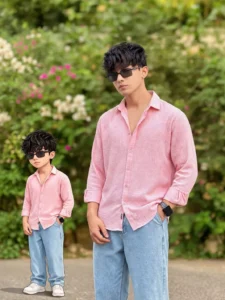
Create an image. Use the uploaded image as the main reference. Keep the real person completely unchanged — same face, pose, outfit, lighting, and background.Add a 2D cartoon version of the same person on the LEFT side of the image.The cartoon must be a smaller companion version, around 30–40% of the height of the real person.Maintain exact matching of:– pose (same hand position and head tilt)– facial expression (same expression as the real person)– hairstyle and hair details– outfit (same design, same colors, same patterns)The cartoon should look like a stylized duplicate of the real person, not a different character.Keep proper spacing between the cartoon and the real person. Do not overlap.Align both characters on the same ground level (feet aligned naturally).Add soft shadow under the cartoon for realistic placement.Use clean 2D soft cartoon style with smooth outlines and pastel colors.Background remains unchanged.Ensure balanced composition — real person remains the main focus, cartoon is secondary and smaller in scale.No size mismatch, no distortion, no outfit change.
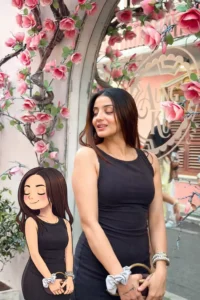
Create an image Create an image Use the uploaded image as the main reference. Keep the real person completely unchanged — same face, pose, outfit, lighting, and background.Add a 2D cartoon version of the same girl on the LEFT side of the image.The cartoon must be a smaller companion version, around 30–40% of the height of the real person.Maintain exact matching of:– pose (same hand position and head tilt)– facial expression (closed eyes, soft smile)– hairstyle and hair details– outfit (same design, same colors, same patterns)The cartoon should look like a stylized duplicate of the real girl, not a different character.Keep proper spacing between the cartoon and the real person. Do not overlap.Align both characters on the same ground level (feet aligned naturally).Add soft shadow under the cartoon for realistic placement.Use clean 2D soft cartoon style with smooth outlines and pastel colors.Background remains unchanged.Ensure balanced composition — real person remains the main focus, cartoon is secondary and smaller in scale.No size mismatch, no distortion, no outfit change.
How to Create Image Using Chatgpt
Learn how to generate AI photos. As you will see, the process for generating these images is quite simple. Start by copying a prompt for a specific style from here. Next, open Chatgpt. Here, you need to upload your reference photo—the one I mentioned earlier. Upload the image, and then paste the prompt you had copied. Now, simply hit “Generate” and wait a few seconds; your Kerala-style photo will be ready in no time. You can then share it on any social media platform. One more thing to keep in mind: if you try just once and expect to get a perfect result immediately, that is rarely the case. When generating images with AI, remember that you typically achieve the perfect image only after two or three attempts.
Conclusion
In this way, you too can effortlessly create Shin-chan style photo edits. I have outlined the entire process for you; simply follow the steps to create your own edits based on this trend. Friends, on this website, you will find various styles of image prompts based on trending topics, which you can explore by visiting the site. I hope you will truly enjoy this Shin-chan style image editing tutorial and find it easy to create your own edits.