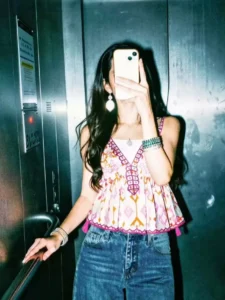
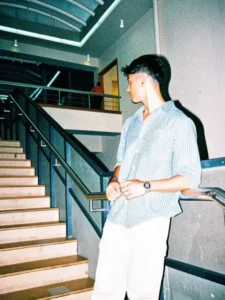
Instagram Flash Filter AI Photo Editing Prompt – Friends, lately, images featuring Instagram filters have been going viral on social media, and everyone is easily creating their own “flash filter” style edits. In this particular filter, the photo takes on a dark theme while the skin appears to glow. You can achieve this editing effect using either Instagram or an AI tool. If you, too, wish to transform your regular photos into these “flashlight-style” images, I will teach you exactly how to do so in this article. Simply follow along; I will guide you through two easy methods to perform this edit, enabling you to create your own versions of this trending flashlight effect.
Details Of Instagram Flash Filter AI Photo Editing Prompt
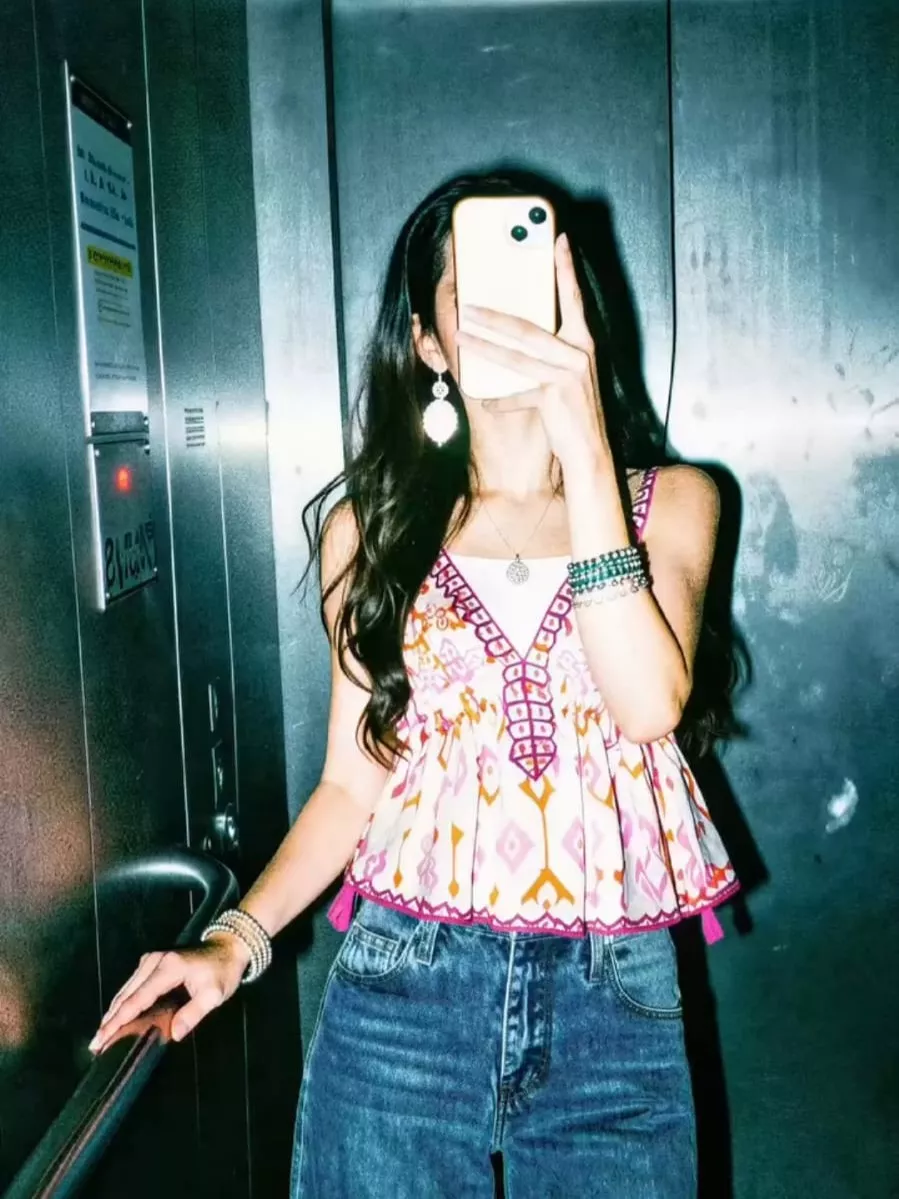
In this flash-style photo editing tutorial, you will see how a standard, unedited photograph is transformed to look as though the subject’s body is glowing against a dark, moody backdrop. Through cinematic color grading, the image takes on a natural yet aesthetic tone—reminiscent of a photograph captured in the evening or in a dimly lit area with the camera flash enabled. The resulting images look incredibly striking; you can apply this editing style to any photograph you choose without altering the original composition of the shot. There are two distinct methods to achieve this effect; I will walk you through the process in the following paragraph, so please continue to follow along with the article.
Editing Process Of This Flash Effect
Friends, if you would also like to create flash-style photo edits, you can do so by following one of two methods. The first option is to use the Instagram application. Simply open your Instagram profile, navigate to the ‘Stories’ section, add any image of your choice, and then select the ‘Flash’ option from the ‘Restyle’ menu. The app will automatically transform your photo into a flash-style image, featuring a dark theme with a glowing skin tone. This is the easiest method. However, if you are looking for a more professional level of editing, you can also utilize the power of AI—which brings us to the second option. For this, you will need a specific prompt; by using that prompt, you can leverage AI to generate an image that replicates this flash-filter effect using your own photo. In the next paragraph, I will explain how to generate images using AI.
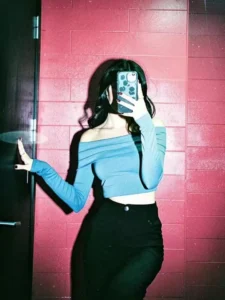
A high-contrast mirror selfie of a woman with long dark wavy hair. She is wearing a dusty blue off-the-shoulder long-sleeve crop top and high-waisted black trousers. She is holding a smartphone with a decorative case in front of her face, obscuring it. She stands against a vibrant red brick wall under a harsh overhead light that creates deep shadows and a cinematic film-noir vibe. The photo has a slightly grainy, 35mm film aesthetic with visible flash-glare and a cool-toned, moody atmosphere
Apply a strong direct flash effect with controlled exposure. Increase contrast deeply with rich blacks and slightly crushed shadows. Add cinematic teal tones in shadows and warm orange tones in highlights (teal & orange look). Reduce overall brightness slightly while boosting color depth and saturation. Skin tones should remain warm, natural, and slightly glossy. Enhance texture and sharpness while keeping a soft highlight glow. Add subtle vignette and light grain for a cinematic feel. Background should appear darker, moody, and slightly desaturated with metallic reflections. Overall look: deep cinematic flash photography, dramatic, rich colors, Instagram restyle flash + cinematic blend.
Apply a strong direct flash effect with high exposure and harsh lighting. Increase contrast and sharpness significantly. Add cool cyan/blue tones to shadows while keeping highlights slightly blown out. Skin tones should appear bright and slightly washed with a glossy flash look. Boost whites and reduce midtones for a punchy, high-fashion aesthetic. Add subtle noise and grain for a raw camera flash feel. Background should look darker and metallic with reflections enhanced. Overall look: paparazzi flash, night photography, bold, dramatic, Instagram restyle "flash" filter style.
How To Create Image Using Chatgpt
Note that you can perform this “flash filter” style of photo editing using ChatGPT or Google Gemini, in addition to Instagram. I will guide you through the process of creating an image using ChatGPT, although the procedure is exactly the same for both platforms. First, simply copy any one of the prompts provided in this article. Now, open ChatGPT, paste the prompt, and then use the plus icon to upload the specific image you wish to transform with the flash filter effect. Please ensure that you upload an image that is full-size or of high quality, as the filter will be applied directly to that existing image. Once you have added the image, click the “Generate” button and wait; ChatGPT will then produce your flash-filtered image.
Conclusion
So friends, in this way, you too can easily edit your photos using flash filters. Let us know what you thought of this editing style by leaving a comment below or by tagging us on social media. If you are interested in creating more trending AI photo edits like this, you can visit this website to learn how. We hope you enjoyed this article