Rani Pari Ai Photo Editing Prompt – Sometimes, trends emerge on social media that truly capture your imagination. Think back to how you used to edit photos—creating beautiful images and adding various elements manually. Now, however, AI has completely transformed that process. Right now, viral photos featuring you alongside ‘Rani Pari’ from the show Baalveer are everywhere. I was genuinely surprised when I first saw these images. I thought, “Why not create one myself and share it with you?” In this article, I’ll walk you through the entire experience. If you follow me, I’ll explain exactly how to create them—from selecting the right photo to every other detail.
Why This Editing Is So Popular?
Why did the ‘Rani Pari’ character from the show become so popular? If you grew up around 2010, you surely must have watched the show Baalveer. It was immensely popular at the time, featuring magic and elements of mystery; it was a favorite among everyone, from children to adults. Among the cast, the character of ‘Rani Pari’ held a unique charm, and she—along with some of the other fairies—had a massive fan following. Nowadays, people are using technology to create wonderful images of themselves alongside their favorite fairies—pictures where they appear to be standing next to them or taking selfies with them. These images look fantastic, and I’ll tell you how you can create similar photos featuring your own favorites.
Some Important Points For Editing
Here is an important point: an ordinary photo gets transformed. You start with a standard selfie, but when you apply a prompt to generate an image, your photo takes on a magical, fairy-like appearance that looks incredibly realistic. There are two methods for using and creating these images that you need to understand; while the image will certainly be generated, you need to know how to create that specific realistic style versus other types of images.
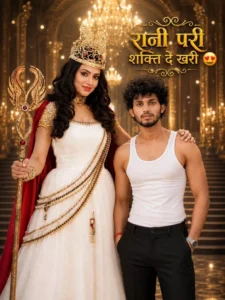
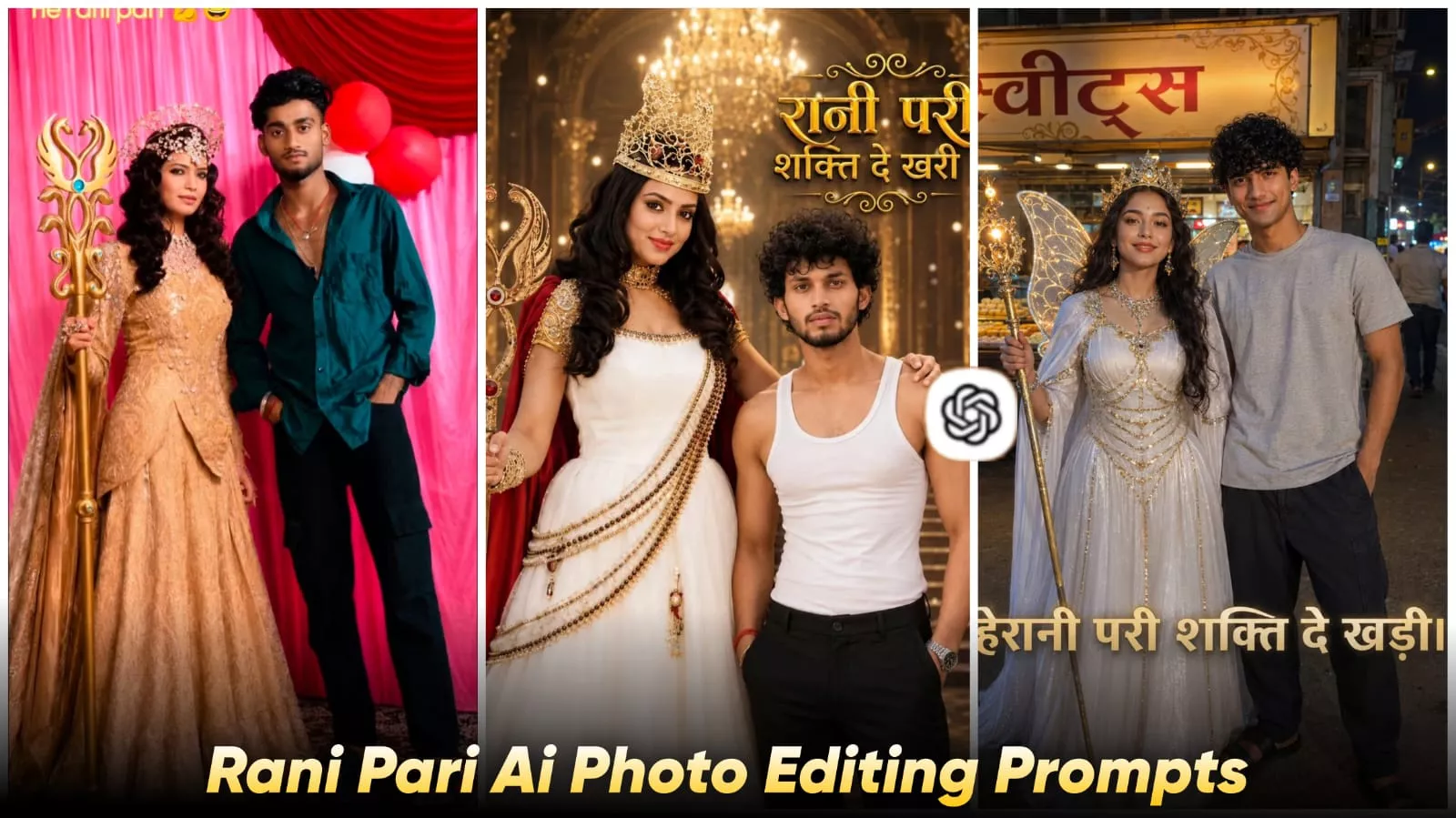
Ultra-realistic cinematic fantasy royal portrait, Instagram 4:5 ratio. A majestic Queen Fairy (Rani Pari) standing inside a luxurious golden palace with grand royal stairs, sparkling chandeliers, glowing warm lights, and magical golden bokeh effects. She wears an elegant white royal gown with intricate golden embroidery, a luxurious golden crown, red royal cape, premium jewelry, and holds a magnificent golden magical staff. Standing beside her is a handsome young Indian boy with the exact face, hairstyle, facial features, skin tone, beard, and expression from the uploaded reference image, wearing a fitted white sleeveless tank top and black formal trousers, hands in pockets, confident royal pose. The Queen Fairy places one hand gently on his shoulder.Highly detailed royal fantasy atmosphere, cinematic lighting, ultra-sharp focus, realistic skin texture, luxury palace interior, magical golden glow, depth of field, professional poster design. Top-right large 3D golden Hindi typography: "रानी परी शक्ति दे खरी 😍" Elegant ornamental flourishes around the text, premium gold lettering, fantasy movie poster style, vibrant colors, masterpiece quality, 8K ultra-realistic, photorealistic, dramatic royal fantasy composition.
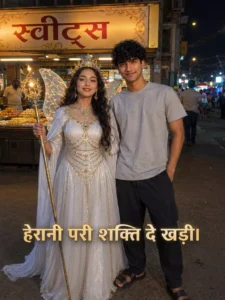
Night street-market photv, Rani Pari-style fairy queen in white gown with golden chains, crown and glowing staff standing beside a young man in grey t-shirt, dark pants and black slides. Use exact faces from reference images. Hindi sweets shop (“स्वीट्स”) in background, realistic smartphone candid shot, natural night lighting. Text: “हेरानी परी शक्ति दे खड़ी।
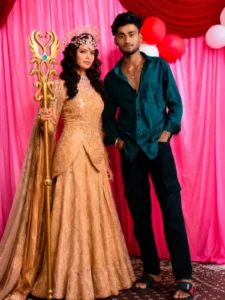
"Create an ultra-realistic cinematicnight portrait of a stylish young man standing confidently beside a fantasy queen-like woman on a roadside at night. The young man is wearing a white patterned shirt, dark jeans, and sneakers with a calm expression. The woman is dressed in an elegant white royal gown with golden details, wearing a luxurious crown and holding a glowing ornate staff, with a flowing red cape behind her.
How To Use Rani Pari Ai Photo Editing Prompt
To create such a photo, you first need to open ChatGPT and use a specific prompt. Creating this kind of image yourself would be difficult, so here is what you should do: first, copy the prompt from our article and paste it into ChatGPT. Next, upload the reference photos—specifically, upload your own photo along with a photo of your favorite ‘Queen Fairy’ (Rani Pari). Then, simply hit generate. Your photo featuring your favorite Queen Fairy will be ready, and you can save it.
How to Create Image With Refrence
Let’s consider another point regarding image creation: suppose you paste your prompt into ChatGPT and then upload your photo using the ‘plus’ option. Here is something to keep in mind: simply upload your photo as-is. If you want an AI-generated image of yourself alongside, say, a fairy queen, just upload your photo, paste the prompt, and generate the image; your picture with the AI-generated fairy queen will be ready. However, if you want the image to feature a specific favorite character, you will need to upload a reference photo of that character, just as I explained in the previous paragraph.