Dual Exposure Ai photo Editing Prompts – You may have noticed on social media that two-layered photos of this kind tend to go viral quite frequently. These images typically feature a shot of the sky in the upper section, followed by a full-body portrait of the subject in the lower section. Previously, creating such images required the expertise of a professional Photoshop editor; while it was technically possible using mobile editing apps, the process was often time-consuming. However, if you wish to create such professional-quality “dual exposure” photos today, ChatGPT has made the entire process incredibly simple. You simply need to use the right prompt, and—just like that—your image will be transformed into a stunning dual-exposure masterpiece. We will guide you through the photo editing process, share the specific prompts that are currently trending, and reveal the techniques used by professional editors to achieve this look—as well as the tricks that can help your photos go viral.
Details Of Dual Exposure Ai photo Editing Prompts
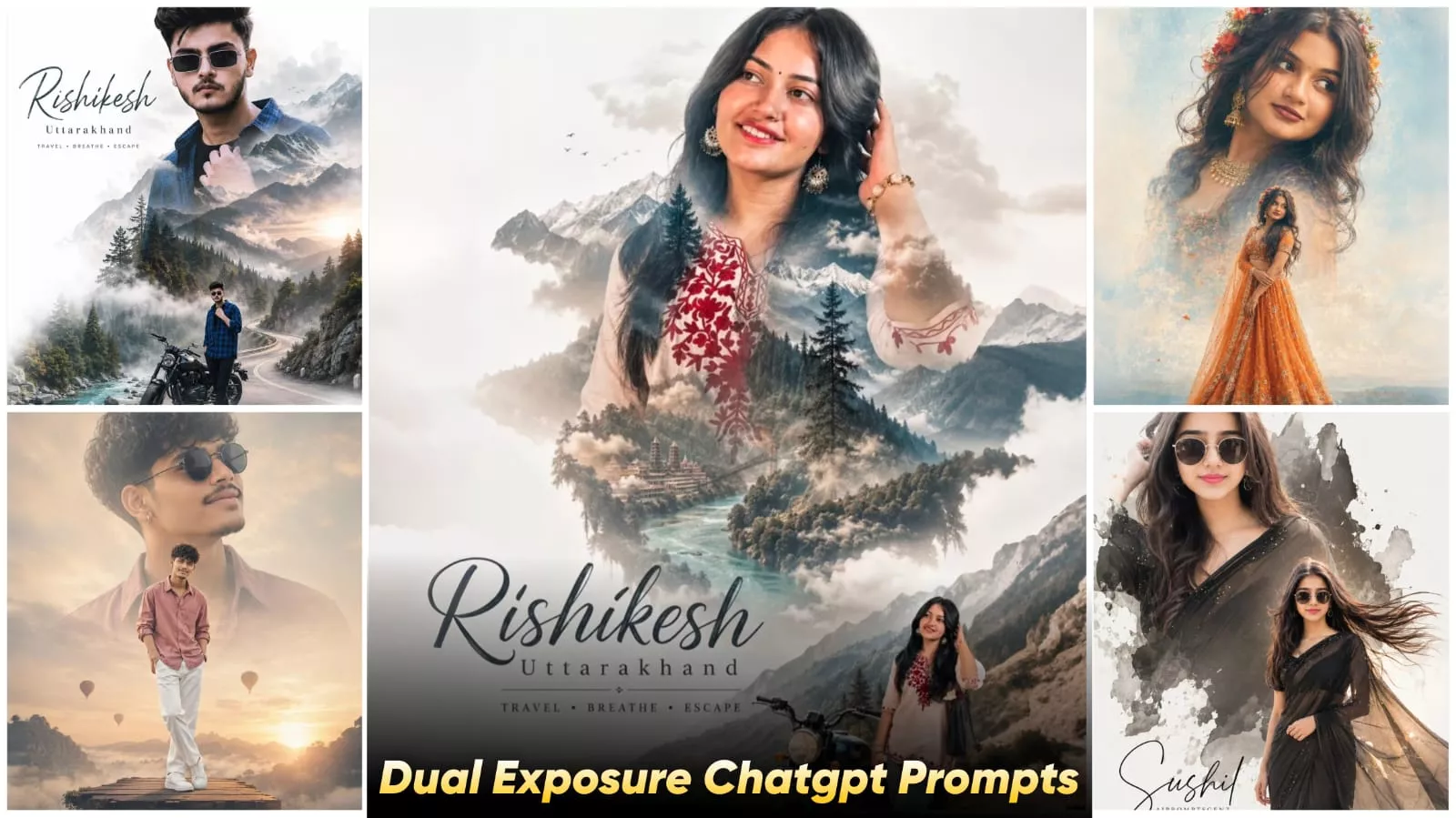
What exactly is “dual exposure” editing? What does it entail? It is a highly artistic style of editing in which two distinct images are blended together into a single photograph—much like the examples illustrated here. Let’s take a closer look at how this is executed. Typically, it involves combining a portrait (a face) with natural elements. There is also a specific variation of this technique—often referred to as “double-layer portrait editing”—where one of your photos is positioned within the sky portion of the image. In this arrangement, only the upper half of the body is displayed—specifically, the face remains fully and clearly visible—while a second image is utilized for the lower section. This lower image features a full-body shot of you—whether standing, sitting, or in any other pose—serving as the base layer. The result is a stunning composite image where both elements are seamlessly blended together, imparting a distinctly cinematic aesthetic to the final photograph. If you are interested in creating these types of “double-portrait” images, please let us know in the comments section of this article.
Why Is Dual-exposure Editing Going So Viral?
Well, on social media, people always gravitate most toward content that is unique and eye-catching. If you, too, wish to create such a photo—one that has the potential to go viral—you must first master the technique of producing this specific style of image. So, let’s discuss exactly why it is trending. This style offers an artistic, cinematic aesthetic; your photo is crafted to look as if it were edited by a seasoned professional. Furthermore, the resulting image often conveys a sense of emotional storytelling. It possesses a distinct “aesthetic vibe”—the kind that is highly prized on platforms like Instagram—which explains why, in today’s digital landscape, you see so many people focusing specifically on creating these types of aesthetic images. Beyond that, the technique incorporates creative visual effects, most notably the creation of a “double layer.” This layering typically involves displaying one version of your photo in the upper section of the frame, while another version appears in the lower section—or, alternatively, incorporating elements such as cityscapes or trees into the composition.
How To Use Dual Exposure Ai photo Editing Prompts
How does ChatGPT assist us in this process? Well, it helps you in two distinct ways. First, it aids in crafting the prompt itself; and second, it assists in generating the image. How does it do this? You see, you need to incorporate specific details into the prompt—such as the pose of your subject, the desired exposure style, the elements to be included in the background, the lighting conditions, and the overall mood. Once you incorporate all these details, the tool generates a comprehensive prompt based on your input. Then, when you utilize this prompt, the resulting image is produced exactly as defined by the specifications outlined within that prompt.
Update – In this article, I’m updating you with some new prompts. The ones I gave you earlier were also trending, and another new photo is also going viral, so I’ve added its prompts here. You can use them to create your own cool photos.
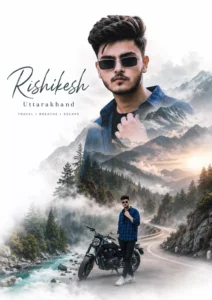
Create a cinematic double-exposure travel poster for “Manali, Himachal” using my uploaded photo. Keep the same face, pose, outfit, sunglasses, and natural features unchanged. Blend Himalayan valleys, pine forests, misty mountains, winding roads, rivers, and clouds inside the portrait silhouette. Add a small full-body version beside a scooter/bike on a mountain road. Style: luxury Himalayan tourism campaign, dreamy matte tones, soft fog, atmospheric depth, realistic blending, minimal typography, clean white background, ultra-realistic editorial aesthetic. Text: “Manali”. “Himachal”. “TRAVEL• BREATHE• ESCAPE”
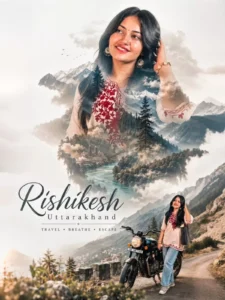
Create a cinematic double-exposure travel poster for “Rishikesh, Uttarakhand” using my uploaded photo. Keep the same face, pose, outfit, and natural features unchanged. Blend Himalayan valleys, pine forests, misty mountains, winding roads, rivers, and clouds inside the portrait silhouette. Add a small full-body version beside a bike on a mountain road. Style: luxury Himalayan tourism campaign, dreamy matte tones, soft fog, atmospheric depth, realistic blending, minimal typography, clean white background, ultra-realistic editorial aesthetic. Text. “Rishikesh” “Uttarakhand”. “TRAVEL • BREATHE • ESCAPE” don’t change face
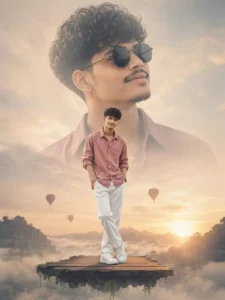
A high-fashion, cinematic double-exposure composite. A stylish young man with voluminous dark hair and a groomed goatee is the subject.
In the foreground, he stands full-body on a floating wooden platform, wearing a dusty rose oversized button-down shirt with rolled-up sleeves, crisp white trousers, and clean white sneakers.
In the background, a massive, Row Semi-transparent close-up portrait ALON of the same man wearing black circular sunglasses, looking upward
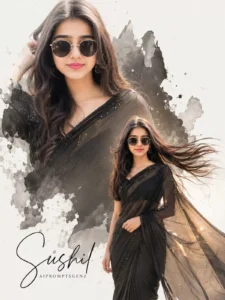
Ultra-realistic collage poster, black saree and sunglasses, double portrait composition, one large faded background portrait with ink splash effect, right side one full-body flying hair pose, soft golden cinematic lighting, minimal white background, elegant" your Name" Aipromptsushil" typography, aesthetic photo manipulation, smooth skin, trendy fashion look, high detail, 16k. 100% original face no changes in face ratio 9:16
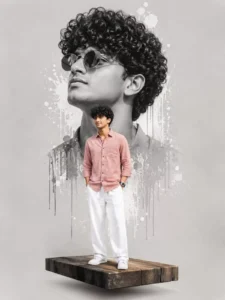
A CREATIVE DOUBLE-EXPOSURE PORTRAIT OF A STYLISH YOUNG MAN. IN THE FOREGROUND, HE STANDS FULL-BODY ON A FLOATING WOODEN 3D PLATFORM, WEARING A DUSTY ROSE BUTTON-DOWN SHIRT WHITE TROUSERS, AND WHITE SNEAKERS.
IN THE BACKGROUND, A LARGE, DESATURATED BLACK-AND-WHITE CLOSE-UP OF HIS FACE WEARING ROUND SUNGLASSES OOKINGUPWARDIS ARTISTICALLY BLENDED. THE BACKGROUND IS A CLEAN, MINIMALIST LIGHT GRAY WITH WHITEINK-SPLATTEREFFECTS AND PAINT DRIPS BEHIND THE CENTRALFIGURE. HIGH-CONTRAST STUDIO LIGHTING, SHARP FOCUS, CINEMATIC DIGITAL ART STYLE.FIGURE. HIGH-CONTRAST STUDIO LIGHTING, SHARP FOCUS, CINEMATIC DIGITAL ART STYLE.
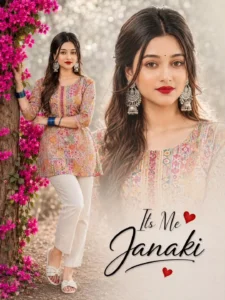
A professional digital collage on an off-white paper texture background. The top section consists of three vertical photo panels. [Insert description of your first portrait photo here, e.g., A smiling man in a blue shirt). The central and most prominent panel shows [insert description of your main, high-quality portrait photo, e.g., a serious portrait of a man in a black jacket], featuring warm backlighting. The third panel on the right contains [insert description of your third portrait photo, e.g., the smiling man again from a different angle]. The bottom of the image features stylized text that reads 'beauty' in black script font and 'Janaki' in bold blue font below it. To the right of the text are two red graphic hearts, one slightly larger than the other. The layout is clean, with the photos in the panels blending slightly into the textured background."
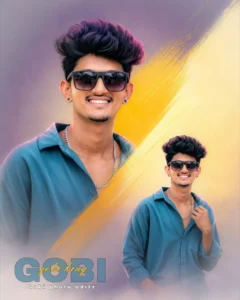
Create a stylish double portrait poster of the same young Indian man with fluffy curly black hair, glowing brown skin, bright smile, thin moustache and small beard, wearing a clean white oversized shirt. Use a soft white and light grey background with a dramatic diagonal paint brush stroke across the center in black and deep dark red gradient. Place one large portrait on the left side and a smaller duplicate portrait on the lower right side with matching pose and expression. Add soft cinematic lighting, smooth skin retouching, ultra realistic digital painting style, high detail face enhancement, glossy eyes, clean modern composition, minimal aesthetic, subtle red rim light on hair, fog fade effect at the bottom, premium poster design look. Add elegantT Tamil typography at the bottom with stylish handwritten signature text Gobi overlapping ther Tamil letters, 4:5 portrait ratio, ultra HD 8K, sharp focus, professional poster arifocus,
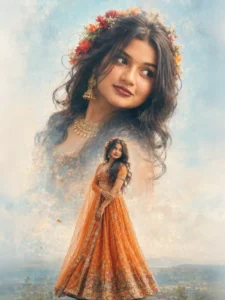
A beautifuldouble exposure portrait of a vounS Indian sirl with long wavy hair. In the top half, a close-up profile of her face smiling, wearing a floralcrown of red and oranse flowers and traditional éold iewelry (ihumkas and necklace). In the bottom half, a full-body shot of her wearing a vibrant orange embroidered lehenga choli, standing gracefully. The background is a soft, dreamy light blue and white textured sky.
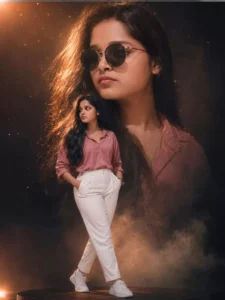
A high-fashion cinematic double-exposure portrait of a beautiful young South Indian woman with long voluminous wavy dark hair, glowing natural skin, and soft confident expression. The composition features a massive semi-transparent close-up portrait in the background wearing stylish black round sunglasses, softly looking sideways with dramatic golden rim lighting. In the foreground, a full-body pose of the same woman standing confidently on a subtle floating platform, wearing a dusty rose oversized button-down shirt with rolled sleeves, elegant white high-waisted trousers, and clean white sneakers. Moody dark background with warm cinematic orange highlights, floating dust particles, soft smoke atmosphere, ultra-realistic lighting, luxury editorial fashion photography, shallow depth of field, studio-quality sharp details, rich shadows, glowing highlights, Instagram aesthetic, 85mm lens, ultra-detailed 8K, photorealistic, premium color grading, cinematic composition, high contrast, soft hair movement, elegant and modern fashion magazine style..
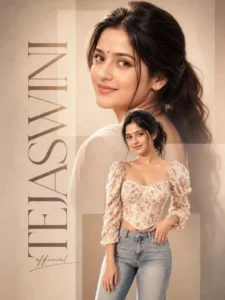
Beautiful young Indian woman editorial collage poster, soft smile looking backward over shoulder, warm beige monochrome aesthetic, black bindi, silver nose ring, tied dark hair, natural makeup, cinematic soft lighting, minimal luxury background with transparent rectangular overlays, elegant magazine-style composition. Oversized vertical serif typography “TEJASWINI” on left side with handwritten “official” text below. Secondary full-body cutout of same woman wearing floral corset top with puff sleeves and light blue jeans, creamy pastel tones, DSLR portrait look, shallow depth of field, ultra realistic skin, soft highlights, luxury social media poster, photorealistic, 8K.
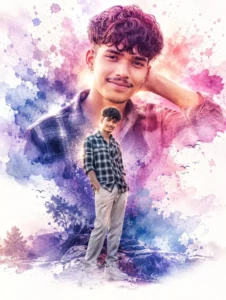
Double exposure watercolor splash poster art of a stylish young Indian person, one large close-up portrait in background and one full-body fashion pose in foreground, vibrant watercolor paint splashes in purple pink blue tones, cinematic lighting, ultra realistic face details, soft glowing skin, dreamy aesthetic, modern fashion editorial style, realistic digital painting mixed with watercolor illustration, elegant typography space at bottom, depth, artistic inktexture, luxury Instagram.posterlook, highly detailed, 8k masterpiece, soft shadows, vibrant composition, trending ArtStation styleKeep the face 100% same as in the uploaded picture.
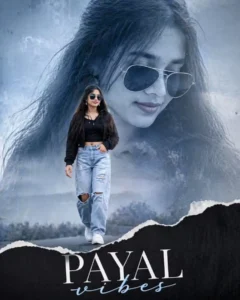
A high-quality cinematic double exposure and paper-tear collage. The background features a large, ethereal close-up portrait of a young woman with long dark hair, wearing stylish gold-rimmed sunglasses and traditional jhumka earrings, looking downwards with a soft smile. A realistic white torn-paper edge creates a horizontal divide across the center. In the foreground, the same woman is shown in a full-body shot, walking confidently on a wet asphalt road. She is wearing a black cropped jacket over a black top, paired with light-blue heavily distressed ripped jeans and white sneakers. The atmosphere is moody and misty with soft bokeh lighting, 8K resolution, and a professional photography aesthetic.
What exactly is required for dual-exposure editing?
First and foremost, let’s clarify this: if you wish to create this specific type of image, you will need to use a clear portrait photograph of yourself. This serves as the foundation for generating your final image. Subsequently, you will require a creative prompt—which I have provided within this article. Following that, you can utilize an AI image generation tool—such as ChatGPT, Google Gemini, or similar platforms. While you will currently find a wide array of tools available—including Midjourney—that you can utilize for this purpose, I have specifically explained and demonstrated the process using the tool that I consider to be the best option.
Conclusion
Similarly, you can easily perform this amazing editing trick, and I’ve explained it in detail. I’ve explained everything very clearly. Just follow along and create. If you’re having trouble with any of these, just ask us and we’ll tell you what you need to fix. How can you do it correctly?