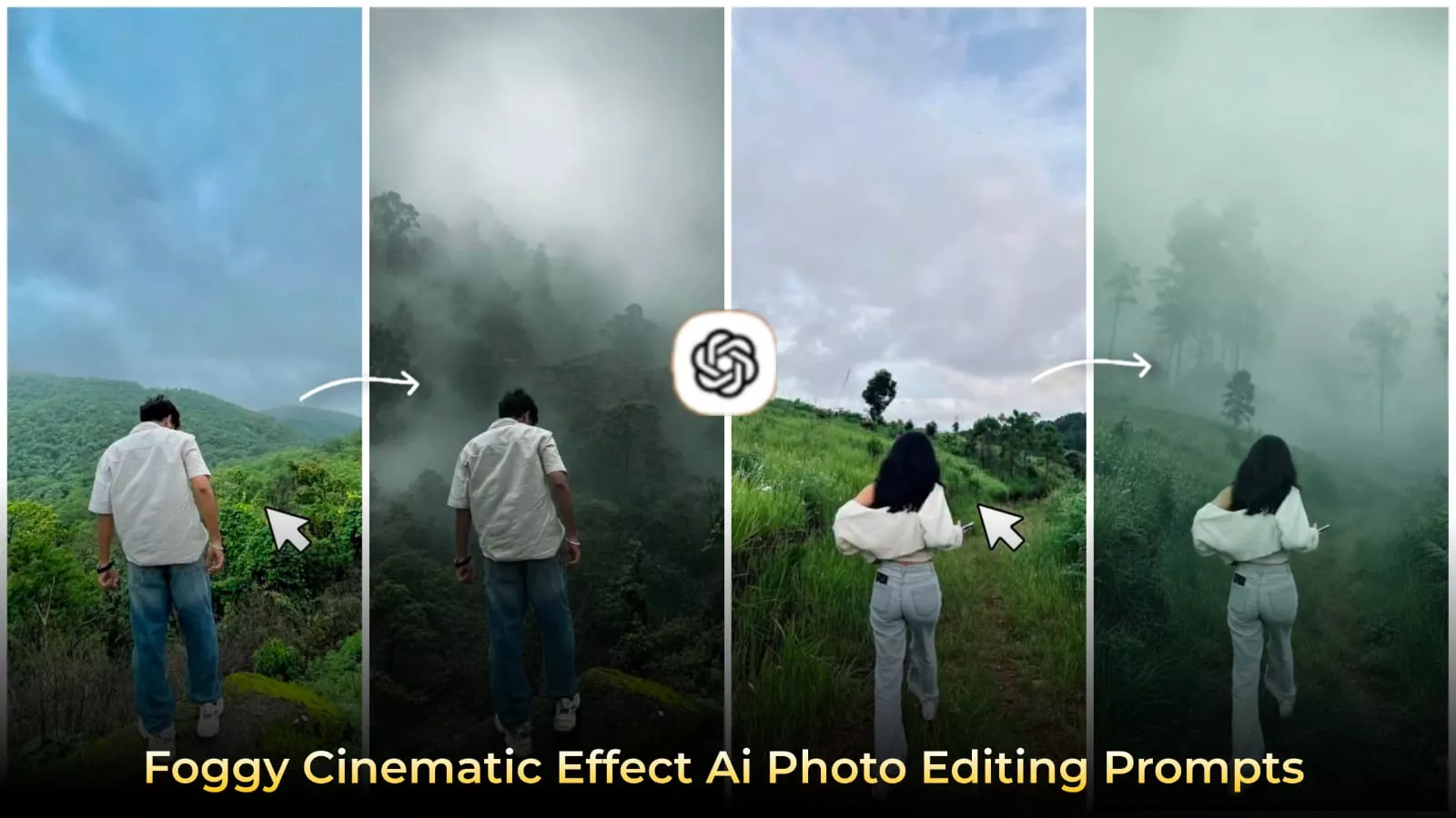
Foggy Forest Cinematic Effect Ai Photo Editing Prompts – You might find this hard to believe, especially since you’ve likely already created plenty of AI-generated images featuring luxury styles or background swaps. However, a new kind of aesthetic photo is currently going viral on social media. These images allow you to transform a standard photo into one with a unique color palette—without using any color-grading apps. The result is so captivating that people can’t help but look at it repeatedly. Creating these photos is incredibly easy, and I’m going to explain the process in detail in this article. If you want to create a truly stunning image like this, just follow these steps.
How I Discovered This Trend?
While browsing Instagram, I came across a photo. It didn’t feature a celebrity or a model; instead, it showed an ordinary guy, but the image was presented in a truly unique way. The background was a blurred forest with subtle, deep-yet-soft color tones, creating an atmosphere that felt like a light, drizzly day. After looking at it for a few seconds, I realized the photo wasn’t just an image—it was evoking a specific mood. That is the real power of this trend. I noticed that the color palette relies heavily on a soft, faded green hue.
Details Of Foggy Forest Cinematic Effect Ai Photo Editing Prompts :
What exactly is “moody aesthetic” editing? To put it simply, it isn’t just about changing colors—like merely tweaking the hues or adjusting the brightness and saturation. It goes beyond that; the editing creates an emotional atmosphere within the image that resonates with the viewer. When you look at such a photo, it instantly captivates your mind. It often features deep tones, a soft haze, natural forest backgrounds, and gentle shadows. It is the blend of these elements that creates a truly unique image.
Why Is This Going So Viral On Instagram Right Now?
Well, social media is currently dominated by flashy content—images filled with vibrant colors and heavy editing. People have grown weary of that style, or simply dislike it; in contrast, these “moody,” aesthetic photos offer a soothing visual experience. They appear incredibly calm and manage to hold the viewer’s attention for a few moments. That is precisely why this style has become so popular and viral.
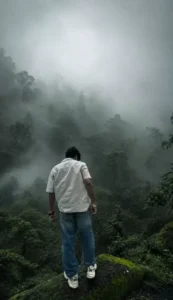
Transform this image into a breathtaking ultra-realistic foggy forest masterpiece. Add dense natural white fog covering the entire environment, creating a mysterious and cinematic atmosphere. Apply rich forest-inspired color grading with deep emerald green, dark teal, moss green, and earthy brown tones. Enhance the trees, foliage, and background elements to resemble a lush enchanted forest hidden in the mist. Introduce soft volumetric light rays subtly penetrating through the fog, creating depth and realism.
Increase overall image quality to ultra-high-definition 4K resolution with razor-sharp details, HDR enhancement, realistic textures, balanced contrast, and natural color harmony. Improve shadows, highlights, and dynamic range while maintaining a realistic appearance. Add a moody woodland aesthetic, dreamy fog layers, atmospheric perspective, and professional cinematic photography grading. The final result should look like a premium DSLR forest photograph captured during a cold misty morning, with ultra-realistic details, immersive depth, soft natural lighting, and stunning visual quality.
Style: Cinematic Forest Photography, Moody Nature, Dense Fog Weather, Volumetric Lighting, HDR, Ultra Realistic, Professional Color Grading, 4K Quality, DSLR Shot, Atmospheric Depth, Photorealistic.
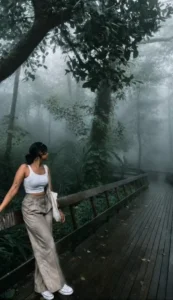
Cinematic moody forest color grading, dark green pine forest background, muted colors, soft matte finish, deep shadows, low saturation, foggy atmosphere, cool green and grey tones, faded blacks, high contrast subject, subtle film grain, dreamy depth, soft natural light, teal and olive color palette, professional reel look, aesthetic Instagram cinematic edit, ultra realistic, sharp subject, background haze, 4K quality.IMPORTANT: Keep the exact same person, face, hairstyle, pose, body shape, and clothing unchanged. The subject must wear the same original outfit/dress as in the reference image. Do not change, replace, redesign, recolor, or generate a new outfit. Preserve all clothing details, fabric, patterns, logos, accessories, and fit exactly as they are. Only apply cinematic color grading and background atmosphere. No wardrobe changes, no costume changes, no fashion alterations.
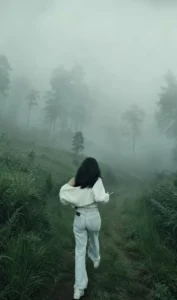
Cinematic moody forest color grading, muted colors, soft matte finish, deep shadows, low saturation, foggy atmosphere, cool green and grey tones, faded blacks, high contrast subject, subtle film grain, dreamy depth, soft natural light, desaturated red hoodie, teal and olive color palette, professional reel look, aesthetic Instagram cinematic edit, ultra realistic, sharp subject, background haze, 4K quality.
How To create Image Like This?
We have already shared the prompts for creating this photo in the article. You will find various types of prompts, and there is a copy button available to copy them easily; simply click that button to copy the prompt. Next, open ChatGPT, click on the plus (+) option to upload your photo, and then select the generate option. After that, just wait a few seconds, and it will be ready with excellent results.
Conclusion
I think you’ll enjoy this tutorial on creating Instagram edits. I’ve explained all the details. Now all you have to do is follow along and create it correctly, and you’ll see for yourself the results. You’ll get much better.