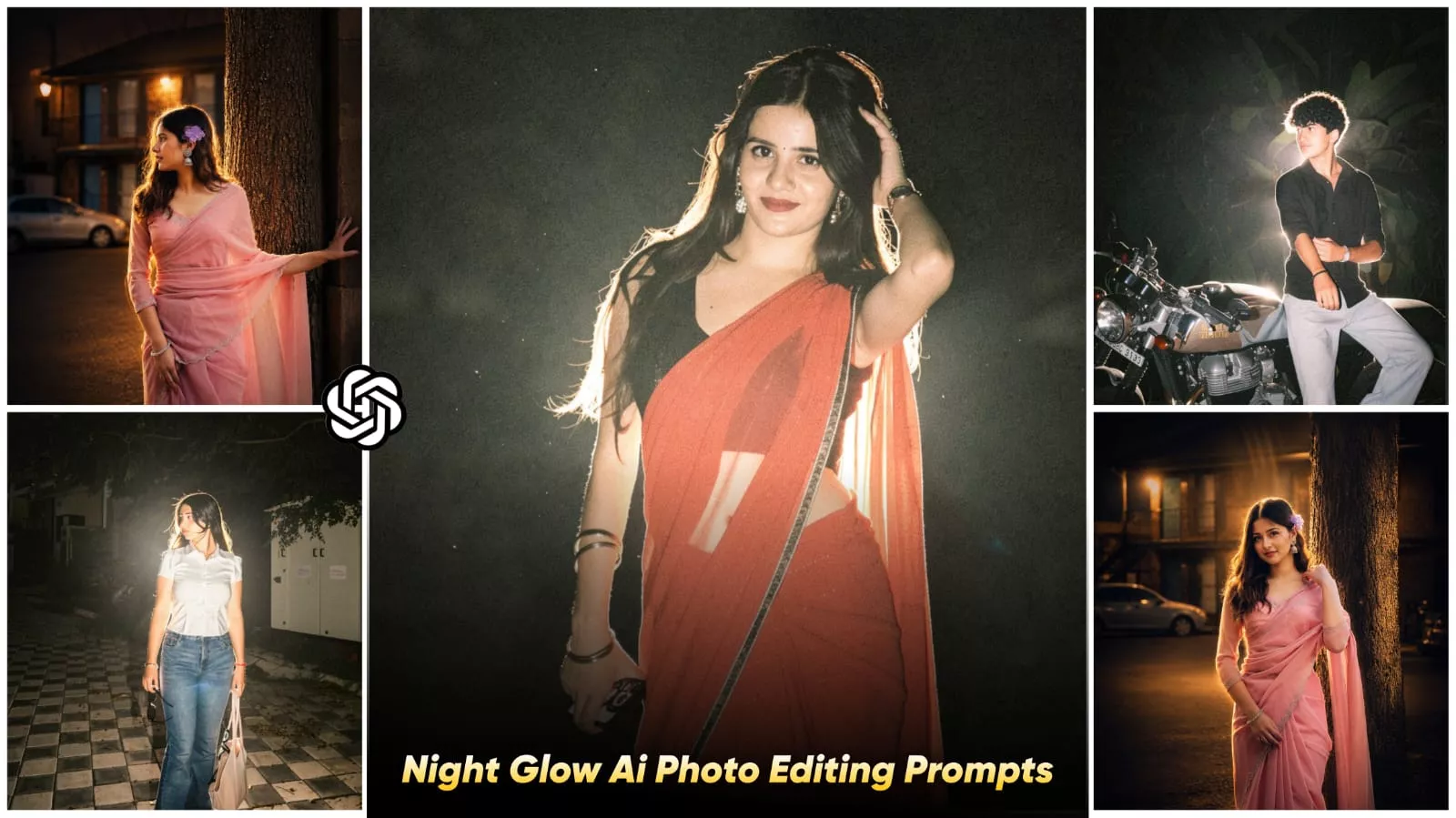
Night Glow Effect Ai photo Editing Prompts – If you open Instagram these days, you’ve likely been seeing a specific style of editing—one featuring dark, cinematic, and glowing photos. In this style, the background appears incredibly deep and rich, while a distinct light effect is visible surrounding the subject’s body. The skin tone remains warm, making the entire image resemble a late-night movie scene. Nowadays, this particular editing style is referred to as “Night Glow,” and it is often created using Instagram filters. However, we have another option available: we can create this effect using AI. This is particularly useful because the filter option isn’t appearing for many users, and even for those who do see it, they often struggle to achieve the desired results with their photos. I will guide you through this process in a few simple steps, showing you exactly how to apply this style to potentially go viral. Let’s get started—simply follow along to create your own stunning images!
Why Is “Night Glow” Editing So Captivating?
Let me explain. First and foremost, when people come across these photos—especially those scrolling through their Instagram feeds—they stop instantly. It isn’t just the colors that grab their attention; rather, it is the mood of the image that compels them to pause and look. It evokes a truly serene feeling and radiates a mysterious vibe. Your photograph takes on an emotionally charged atmosphere, offering a luxurious, cinematic visual experience. When your photo features a dark background illuminated by a strong light source—particularly one that outlines your silhouette—the result is incredibly striking. Your entire figure—your body and your face—as well as the central subject of the image, truly stand out and pop within the frame.
Details Of Night Glow Effect Ai photo Editing Prompts
This particular editing style is inspired by the “Lo-Fi Dust” filter—let me explain how. If you navigate to the Instagram filters section, you won’t find it listed directly among the standard filters; instead, you’ll discover an option labeled “Restyle.” If you click on that, you will find the “Lo-Fi Dust” filter available within that specific category. Simply select it, and you will achieve results that look exactly like this. We created this tutorial—drawing inspiration from that filter—because it wasn’t working properly for a large number of users. That was the biggest issue associated with it. The aesthetic captures the moment when evening has fallen, creating a dark background while casting a glowing effect around your body. The resulting photo looks quite stunning—much like the thumbnail for a melancholic Lo-Fi song.
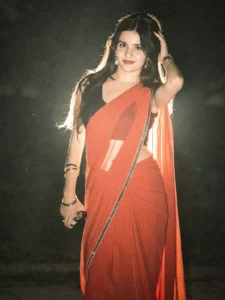
Relight image. Background: Deep and muted, darker tone at the top, grainy.Lighting: Bold night-flash aesthetic combining natural light with direct front-facing flash. Tiny highlights. Strong backlighting creating a brilliant rim light around the subject, with a soft fill light from the front. Cinematic high-contrast mood. Skin rendered with gentle peachy tones.
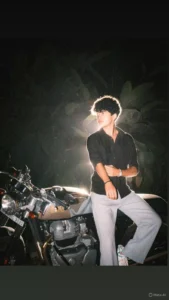
Apply a bold night-flash aesthetic to the upl0aded ph0to while preserving original detaiIs except for Iighting, gIow, and c0lor m00d.Keep the night-time enviroment dark and unIit, maintaining existing shad0ws and siIhouettes.Do n0t brighten the backgrounnd except for sIight enhancement of p0int lights.Illuminate the subject with a strong, warm, direct fr0nt-facing fIash,focused near the face and upper b0dy (primary br1ght area).Add diffused sun-beam style highlights on cheekb0nes, n0se bridge, lips and hair strands.Maintain separation between br1ght areas and deep shad0ws for cinematic contrast.
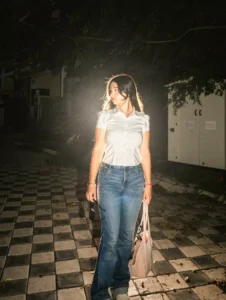
Relight the image with a premium cinematic NIGHT-FLASH aesthetic while keeping the subject’s face, pose, hairstyle, outfit, framing, and background composition completely unchanged. Transform the environment into a darker moody nighttime scene with a deep muted background and strong shadow falloff. Make the upper background significantly darker with subtle grain and atmospheric texture for a luxury Instagram-reel look.Lighting should feel like a high-end DSLR direct flash shot mixed with natural ambient night light. Use a powerful front-facing flash that creates crisp facial highlights, glossy skin reflections, and sharp subject separation. Add intense backlighting behind the subject to create a clean glowing white rim light around the hair, shoulders, and body edges. Include soft cinematic bloom and slight haze around the rim light for depth.Skin tones should appear smooth and realistic with soft peachy warmth, subtle wet-look shine, and natural pores retained. Add tiny reflective highlights on the face, lips, nose, jewelry, and clothing folds. Preserve realistic contrast with rich blacks, deep shadows, and controlled highlights without overexposure.Add floating dust particles and fine film grain illuminated by the flash for a viral night-photography vibe. Enhance stray hair strands with detailed edge lighting. Keep the image ultra-realistic, sharp focus, cinematic color grading, high contrast, dreamy atmosphere, realistic depth, and premium editorial quality.Hard Rules:Do not change the face, expression, hairstyle, skin tone, body shape, pose, outfit, camera angle, or background structure. Only enhance the lighting, mood, shadows, atmosphere, and cinematic night-flash effect while preserving the original identity and composition exactly.
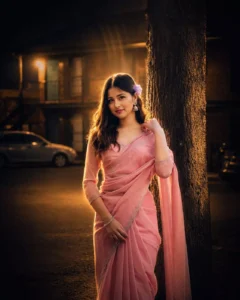
Apply a cinematic night-flash look while keeping the original photo unchanged (pose, composition, details). Make the environment dark and moody with deep shadows. Use a strong warm back flash (behind and slightly above) to create bright rim light on hair, face edges, and shoulders. Add a soft front fill light for subtle facial visibility. Enhance highlights on cheekbones, nose, lips, and hair with a gentle glow. Add light rays, slight lens bloom, soft haze, and atmospheric glow. Keep high contrast with bright subject and dark background. Skin should look smooth, luminous, and warm-toned.
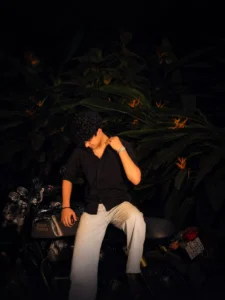
Apply a bold night-flash aesthetic to the upl0aded ph0to while preserving original detaiIs except for Iighting, gIow, and c0lor m00d.Keep the night-time enviroment dark and unIit, maintaining existing shad0ws and siIhouettes.Do n0t brighten the backgrounnd except for sIight enhancement of p0int lights.Illuminate the subject with a strong, warm, direct fr0nt-facing fIash,focused near the face and upper b0dy (primary br1ght area).Add diffused sun-beam style highlights on cheekb0nes, n0se bridge, lips and hair strands.Maintain separation between br1ght areas and deep shad0ws for cinematic contrast.
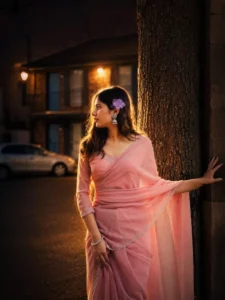
Apply a bold night-flash aesthetic to the uploaded photo while fully preserving every original detail of the…and shoulders. Render skin with luminous translucency and gentle peachy tones. Enhance stray hair strands backlit by sunlight. Hard rule: Do not change the face and hairs of the subject. Do not change the composition and background.
Why Is ChatGPT So Useful?
Well, in today’s landscape of generative tools, it currently delivers absolutely spectacular results. However, among all the options available right now, ChatGPT stands out as the best because the edits it produces are incredibly realistic. It generates results that precisely match our specifications—whether we describe a specific mood, suggest lighting conditions, specify cinematic camera angles, or request particular color palettes. Whatever elements we outline in our prompt—stating exactly what we need—it subsequently crafts a truly exceptional result for us. For instance, if we provide a generic prompt like “Night Portrait,” it won’t yield a particularly distinctive outcome. However, when we provide detailed instructions—writing something like “Moody Cinematic Night”—the resulting image turns out to be vastly different. You will observe that the key difference lies entirely within the prompt itself.
What are the identifying features of this style of editing?
Well, first and foremost, you will notice a deep background—one that appears entirely dark, moody, and cinematic. Furthermore, surrounding the subject within the frame, you will observe either a white spotlight effect or a warm, ambient glow—a look that is widely admired.
How To Do This From Instagram?
Yes, if you wish to do this via Instagram, let me explain the process for that as well. If you want to apply this effect using Instagram, simply open the Instagram application. On your profile page, you will find the ‘Story’ option. Click on it, and you will be presented with the option to select a photo. Once you have selected a photo, you will see a ‘Re-style’ option. This ‘Re-style’ feature allows you to apply filters directly from that interface. If you do not see this option, you will need to explore other alternatives. The procedure is quite simple: if you find the ‘Re-style’ option, click on it. At the bottom of the screen, you will see a variety of filters. If you do not immediately find the ‘Lo-Fi Dusk’ filter listed there, look for the ‘All Filters’ option. Click on it, and a complete list of all available filters will appear. From that list, select the ‘Lo-Fi Dusk’ filter, and it will be applied to your photo.