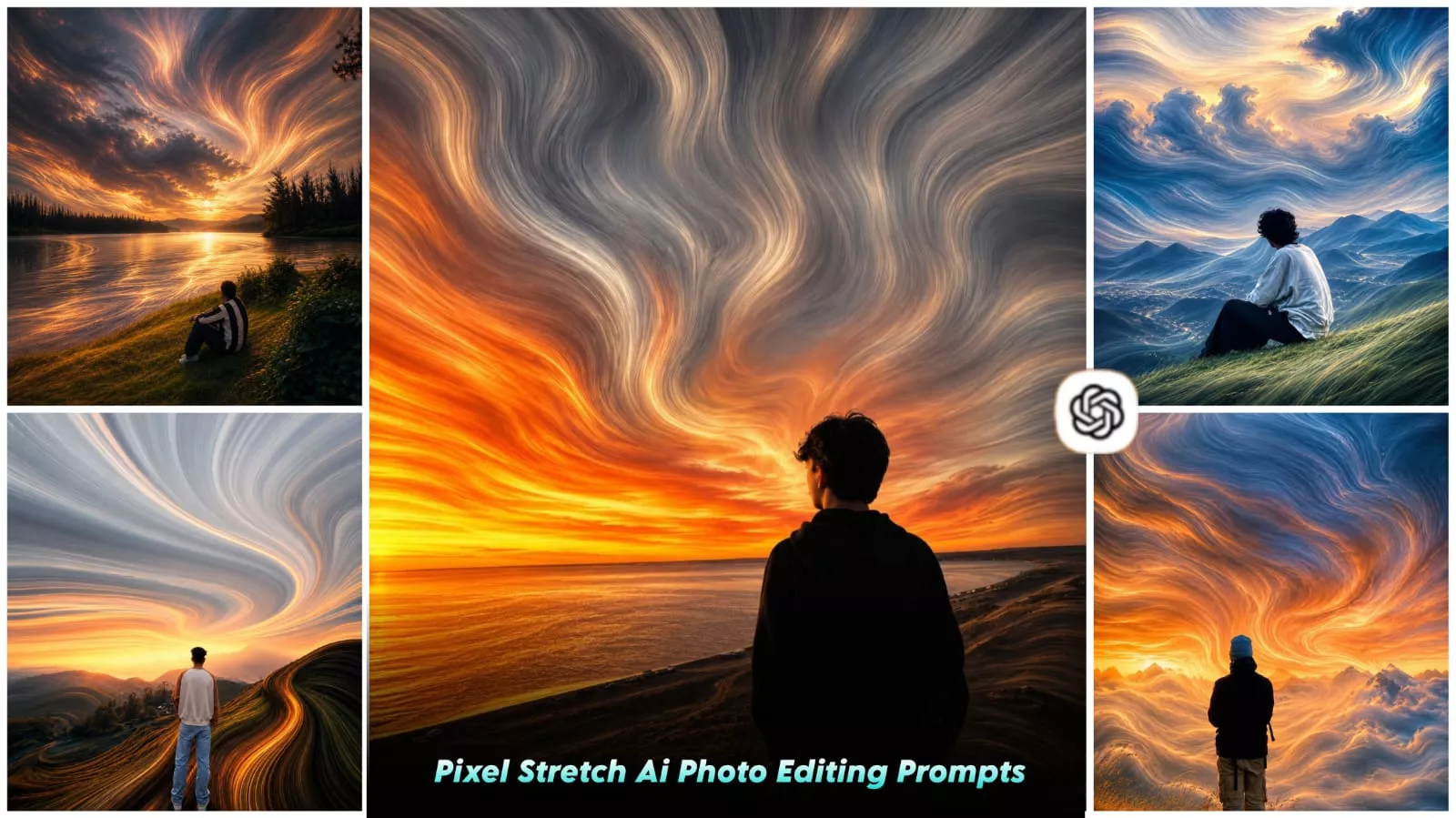
Pixel Stretch Ai Photo Editing Prompt – You may have noticed a recent trend where “pixel stretch” editing has become quite popular. In this style, the subject remains completely still while the background appears to stretch out in a fluid, linear motion. In this article, we will learn how to create this type of image or video, including how to use ChatGPT and craft the right prompts to achieve the effect. If you are interested in trying out this editing technique, you can follow the details provided here.
Details Of Pixel Stretch Ai Photo Editing Prompt
What is pixel stretch photo editing? It is a new, trending editing style where specific parts of your photos are stretched—extending the pixels smoothly in a particular direction. This stretching is not natural but is a deliberate design choice, creating an effect of motion, depth, and a futuristic look. The most important aspect of this editing style is that the subject remains completely intact and undisturbed; the eyes, for instance, remain perfectly clear. It is only the background that undergoes the stretching process—elements within the background are elongated.
Why is the ‘pixel stretch’ effect going so viral?
Nowadays, people aren’t impressed by ordinary photos on social media because everyone uploads them; however, pixel-stretch editing gives your photo a completely unique look. It lends a modern aesthetic to your image, making it highly eye-catching for Instagram and creating a premium feel. Posting a photo edited this way—instead of a standard one—elicits a much better response.
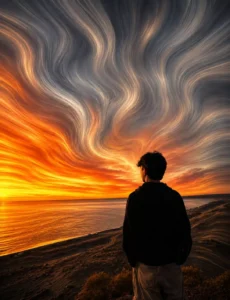
Transform the uploaded image into a premium pixel stretch artwork while keeping the main subject perfectly sharp, detailed, and recognizable. Extract colors and textures from the subject and extend them into smooth, flowing pixel-stretch ribbons that follow elegant curves and dynamic motion.
Create seamless transitions between the original image and stretched areas, avoiding glitches or harsh edges. The stretched pixels should appear silky, fluid, and organic, like streams of color, light, paint, or energy. Maintain realistic lighting, depth, shadows, and color harmony. Use cinematic contrast, vibrant colors, HDR quality, ultra-sharp details, modern minimalist composition, luxury digital art styling, Adobe Photoshop pixel stretch effect, gallery-quality finishing, and ultra-high-resolution 8K for a visually captivating, social-media-ready masterpiece.
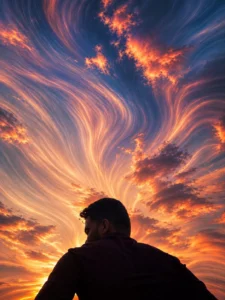
pixel stretch artwork while keeping the main subject perfectly sharp, detailed, and recognizable. Extract colors and textures from the subject and extend them into smooth, flowing pixel-stretch ribbons that follow elegant curves and dynamic motion. Create seamless transitions between the original image and stretched areas, avoiding glitches or harsh edges. The stretched pixels should appear silky, fluid, and organic, like streams of color, light, paint, or energy. Maintain realistic lighting, depth, shadows, and color harmony. Use cinematic contrast,
vibrant colors, HDR quality, ultra-sharp details, modern minimalist composition, luxury digital art styling, Adobe Photoshop pixel stretch effect, gallery-quality finishing, and ultra-high-resolution 8K for a visually captivating, social-media-ready masterpiece.
How To Create Pixel Stretch Photo?
Let me show you how to create a “pixel stretch” edit. First, copy the prompt from here—there is a copy button provided for that purpose. Next, open ChatGPT, as that is where we will create the image. Paste the prompt there and upload your reference photo. Then, simply hit generate. It will create a fantastic image for you, delivering excellent results.
Wondering which photos are best for editing?
If you want to create this kind of edit, start by selecting a high-quality photo where the subject is clearly visible. The lighting should be completely natural, and the focus should be on the face. Also, ensure the photo isn’t taken in an overly crowded location. Your photo should always be sharp and well-balanced to ensure the final edit turns out absolutely perfect.
Conclusion
You can easily clean up a trending Instagram edit like this. I’ve explained it in detail. Just follow the steps and create it, and you’ll get much better results.