Tom And Jerry Ai Photo Editing Prompts – Now, for a while, focus your attention on editing. Look—if you want to create something unique or present something truly distinctive, this “Tom and Jerry” style of editing will showcase your work in a completely fresh light. It is bound to rekindle your childhood memories; in fact, because this style resonates so deeply with people’s nostalgic pasts, it is currently going viral. Today, we will learn how to add Tom and Jerry to your photos—or even create images featuring them alongside you—using the assistance of ChatGPT. The best part is that the results you achieve will look absolutely realistic.
Why Tom And Jerry Ai Photo Editing Prompts Is Popular ?
Tom and Jerry is bound to be popular. Until quite recently, Tom and Jerry was an immensely popular show among the general public—one that everyone enjoyed. Even today, children are extremely fond of it. Consequently, whenever people—whether they are children or young adults—spot these characters in a photograph, it resonates deeply with them, as these figures are firmly etched in their hearts and minds. When they encounter such imagery, it goes beyond mere appreciation; it becomes a cherished part of their childhood memories. Given that emotionally resonant concepts are currently the most viral content trends, this is virtually guaranteed to go viral—and indeed, it is already doing so.
How To Write Best Prompts ?
Discover the secret tricks to writing effective prompts. Observe the biggest mistake people commonly make: if they want to create a specific image—say, one featuring Tom and Jerry—they might simply write, “Add Tom and Jerry to this photo.” The AI will indeed add them, but it won’t properly integrate or position the characters; it might just place them haphazardly anywhere in the scene. If you aspire to become a skilled creator—and if you want to ensure you get excellent results and generate high-quality images—you must provide comprehensive details. You need to start by defining the subject, then describe the atmosphere. You must specify how the characters should interact with one another, and set the mood—indicating whether the image should convey a somber tone or depict a joyful, cheerful environment. When you provide all these specific details in your final prompt, the resulting image will be vastly superior.
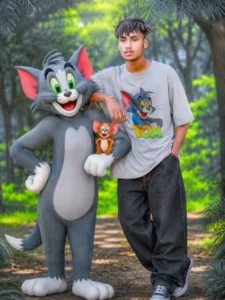
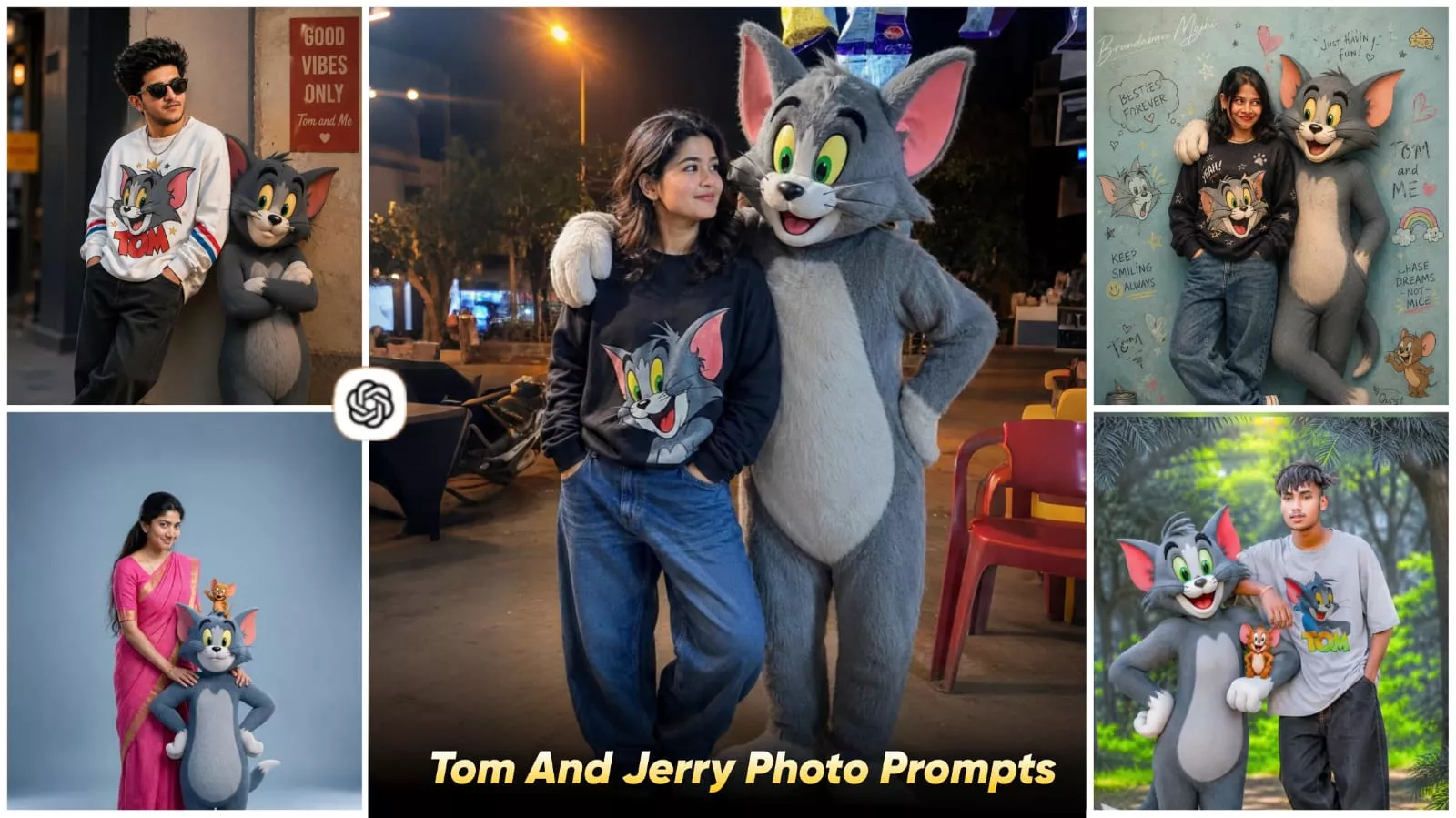
lam with sholder length wavy black hair, expressive eyes, warm smile, and adorable face.Standing confidently in a casual stylish pose wearing a cozy light black sweater with a colorful Tom cat print, baggy blue jeans, and white Converse sneakers. Beside me stands a life-size anthropomorphic Tom cat from Tom and Jerry with soft grey fur, white belly, large green eyes, pink inner ears, and playful grin.Tom keeps one arm around my shoulder in a friendly protective pose.
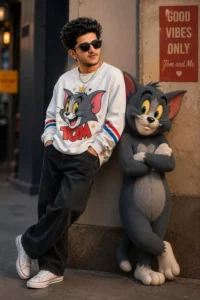
Use my uploaded image as reference. Keep the same face, hairstyle, skin tone, and sunglasses. Create an ultra-realistic full-body portrait of a stylish 19-year-old South Asian man wearing an oversized white Tom Cat graphic sweatshirt, baggy black jeans, white Converse sneakers, and a silver chain. Standing beside a life-size anthropomorphic Tom Cat with crossed arms in a modern urban street setting. Cinematic golden-hour lighting, luxury street-fashion editorial style, shallow depth of field, HDR, photorealistic, ultra-detailed, 85mm lens, Instagram aesthetic, 8K quality.
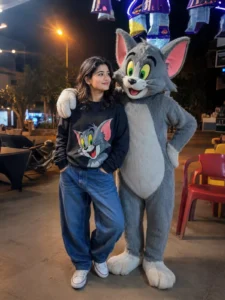
Iam with sholder length wavy black hair, expressive eyes, warm smile, and adorable face. Standing confidently in a casual stylish pose wearing a cozy light black sweater with a colorful Tom cat print, baggy blue jeans, and white Converse sneakers. Beside me stands a life-size anthropomorphic Tom cat from Tom and Jerry with soft grey fur, white belly, large green eyes, pink inner ears, and playful grin. Tom keeps one arm around my shoulder in a friendly protective pose.
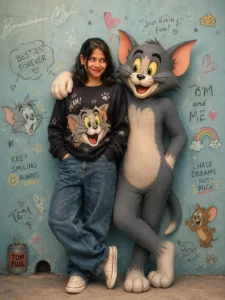
Iam with sholder length wavy black hair, expressive eyes, warm smile, and adorable face. Standing confidently in a casual stylish pose wearing a cozy light black sweater with a colorful Tom cat print, baggy blue jeans, and white Converse sneakers. Beside me stands a life-size anthropomorphic Tom cat from Tom and Jerry with soft grey fur, white belly, large green eyes, pink inner ears, and playful grin. Tom keeps one arm around my shoulder in a friendly protective pose.add watermark on left top corner "Brundaban Majhi" on Font style Signature curve on Screen blending effect.
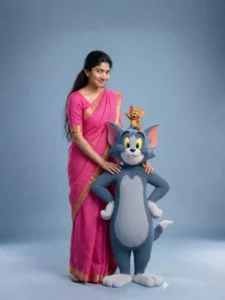
Create a full-body studio portrait of a young woman(character in the uploaded photo, no alternation) standing with high-quality, 3D-rendered, fluffy cartoon versions of Tom and Jerry. The woman has long brunette black hair and a smirk cute expression. She is wearing a bright pink chunky classic saree. She has her hands resting affectionately on the shoulders of the large gray and white cartoon cat (Tom), who is standing upright on his hind legs with his hands on his hips, smiling. Perched on top of the cat's head is a small brown cartoon mouse (Jerry), waving happily with one arm raised. The background is a plain, seamless soft blue-gray studio backdrop. Professional studio lighting, seamless blend of photorealistic human portraiture and Pixar-style 3D character animation.
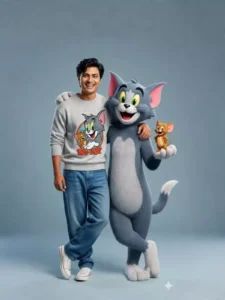
A cheerful young man with small wavy black hair, expressive eyes, warm smile, and adorable face. Standing confidently in a casual stylish pose wearing a cozy light grey sweater with a colorful Tom cat print, baggy blue jeans, and white Converse sneakers. Beside him stands a life-size anthropomorphic Tom cat from Tom and Jerry with soft grey fur, white belly, large green eyes, pink inner ears, and playful grin.Tiny Jerry mouse sits happily on Tom’s other arm looking excited. Here
Create Image With Tom And Jerry Ai Photo Editing Prompts
To create a photo, you need to open ChatGPT. There, you will first find a “plus” option where you must upload your image; you can upload any photo you wish. Next, paste the prompt—specifically the one I have shared in this article—into the designated area. Following this, you will see a “Generate” button (resembling an arrow icon). As soon as you click this button, your photo will be generated and ready within just a few minutes, delivering a result that is completely realistic.
Why do people like such edits?
Well, the most significant reason is that these types of images feel familiar to them. Almost everyone has likely watched the Tom and Jerry show. You are also surely aware that the Tom and Jerry characters are incredibly popular. If you haven’t seen it yet, you should definitely look it up on YouTube at least once; watching it evokes a sense of nostalgia and familiarity. Consequently, people try to recreate similar edits themselves, or they aspire to create them. It is also worth noting that, currently, most people are generating these images using ChatGPT; thanks to this trend, a large number of people have now realized that high-quality edits can indeed be created using ChatGPT.