Childhood Vs Present Look Ai Photo Editing Prompts – Friends, AI photo editing has become incredibly popular on social media these days, with people constantly creating edits based on the latest trends. One such trend currently going viral involves people combining a childhood photograph with a recent one to generate a unique AI image. The result is a cinematic AI visual featuring both a young boy and a grown man—depicting the very same person—seamlessly blended together to represent two distinct stages of life: childhood and adulthood. Creating this type of composite image is remarkably simple; you, too, can easily generate one for yourself with the help of AI tools. If you would like to try your hand at this AI photo editing technique, simply follow the steps outlined in this article, and I will show you exactly how it’s done.
Details Of Childhood Vs Present Look Ai Photo Editing Prompts
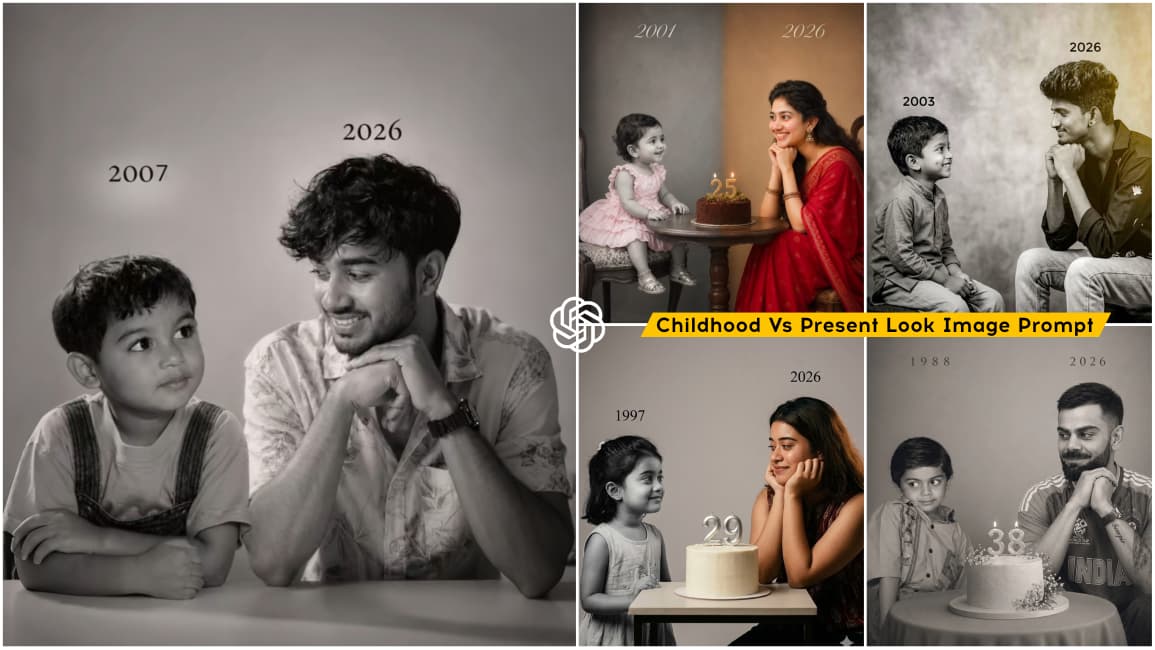
In this photo edit, a creative artist uses a “Then vs. Now” transformation. It combines a childhood photo with a current photo into a single frame, presenting both versions in a natural and realistic way. With the help of AI, the transition looks so smooth that it feels like both moments exist together in the same scene. The overall style also carries a subtle retro vibe, making it even more visually appealing.
In this article, you’ll find a variety of image prompts in different styles. While the main concept remains the same—“Then vs. Now”—the presentation varies in each example. Some edits follow a birthday theme, some show you looking at your younger self, and others place both versions side by side, facing each other. You can easily create this kind of edit using any AI tool, and I’ll guide you through the process step by step.
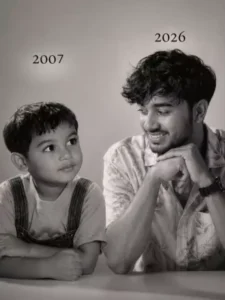
Let the formation be as follows: On the left: a child version of me (from a childhood photo) looking with an innocent smile to the right, with 2004 written above it. On the right: A present version of me (from a recent photo) sits with her hands under her chin and looks at the child with a calm smile wwith2026" written above her. Studio background: plain and soft (studio background) The lighting: Soft, cinematic, warm (even a black-and-white photo) Style: Professional, minimal emotional photography, focusing on feelings and visual communication between the two versions.Make the picture look so real like abetween the two versions.Make the picture look so real like a real photoshoot.Keep my original features without changing.photo size 9:16
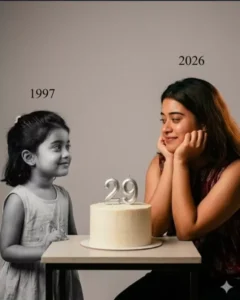
Using the images I'm going to upload to create a soft, emotional, black and white art.Let the formation be as follows:On the left: a child version of me (from a childhood photo) looking with an innocent smile to the right, with "1998 written above it.On the right: A present version of me (from a recent photo) sits with her hands under her chin and looks at the child with a calm smile, with "2026" written above her.In the middle: a table with a simple, elegant birthday cake with number 28 on top.Studio background: plain and soft (studio background)The lighting: Soft, cinematic, warm (even a black-and-white photo).Style: Professional, minimal, emotional photography, focusing on feelings and visual communication between the two versions.Make the picture look so real like a real photoshoot.Keep my original features without changing.photo size 4:5
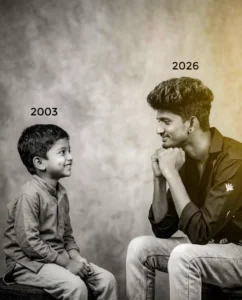
Create a realistic, emotional portrait-style image.Left side: A child version of me (based on a childhood photo), sitting and looking to the right with an innocent, soft smile. Add the year "OLD YEAR" above her.Right side: A present-day version of me (based on a recent photo), sitting with hands gently placed under the chin, smiling calmly and looking at the child. Add the year "CURRENT YEAR" above her. Center: A simple, elegant birthday cake placed (YOUR AGE) on a table between them. Background: Plain, soft studio background with minimal distractions. Lighting: Soft, warm, cinematic lighting (can also work in black-and-white tone). Style: Professional, minimal, emotional photography - focus on connection, eye contact, and feelings between the two versions.Additionalinstructions: Keep facial features natural and unchangedMake it look like a real photoshoot (high realism) Soft shadows, natural skin texture Photo aspect
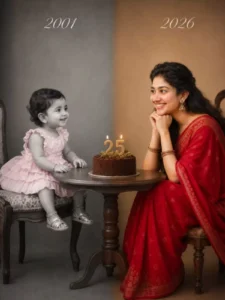
Split-screen studio portrait showing the same person as a child and as an adult, sitting across from each other at a small round wooden table. Left side: Black and white, vintage photo style, year “2001 in elegant script text. Toddler around 1 year old wearing a pink ruffled dress and sitting on a vintage stool. Soft grey studio backdrop.Right side: Full color, modern photo style, year “2026” in elegant script text. Same person now age 25 wearing a red saree, sitting on a stool with chin resting on hands, smiling warmly at her younger self. Warm beige studio backdrop.Center: Simple chocolate birthday cake with “25” candle topper and small greenery on the round wooden table between them.Professional studio lighting, emotional and nostalgic mood, high detail, photorealistic, 85mm lens look, soft shadows. Seamless blend between the two halves.
How To Create Image In Chatgpt
Friends, creating this kind of image is actually very simple—most people are already familiar with the process. Still, let me walk you through it. You can use tools like Gemini or ChatGPT, but since ChatGPT is widely used right now, we’ll go with that.
Just copy any prompt given in this article, then open the ChatGPT website or app and paste it there. After that, tap on the plus icon to upload both your childhood photo and your recent photo at the same time. Once you’ve done that, click on the “Generate” button and wait for a few seconds. The process will start, and ChatGPT will create and deliver your “Then vs. Now” style image.
Conclusion
Friends, in this way, you too can easily create a realistic, retro-style image by combining photos from your childhood and youth. We have outlined the entire editing process for you; simply follow the steps and use the provided prompts to generate your own realistic AI photo. If you wish to create more unique and trending photos like this, feel free to visit and explore this website.